This is Vanessa, T Brule. I wanted to give you another search engine tool, another tool that you could look at to help you with keywords when you’re searching for search engine optimization when you you want to put your content out there and make sure you’re using keywords that people are actually looking For you might have some great ideas, some great phrases, titles and things like that, but nobody is looking for it and that’s what search engine optimization is all about again.
Thank you for coming to my blog affiliate marketing mastery or you can learn to earn a passive income and again this is a tool that you definitely want to use, whether it’s this product or a different one and I’ll go over a few other ones. As I start creating some more articles this one here, it is pricey if you go to pay for it, it’s anywhere from like 149 a month to $ 5.99. But the neat thing is: if you’re, just starting out, you can use it for free and you actually get ten queries a month for free which isn’t too bad.
Because when you’re new you’re looking up certain keywords – and you really want to analyze them and see what they’ll do I’m going to show you how this pops up? Okay right here it has a keyword, search, it’s called keyword overview and I’m going to put in make. This is one a lot of people search for, and I want to see how well it does here make money on line. Okay, let’s see what comes up all right down here.
It has a monthly volume with that keyword or the tagline. However, whatever you want to call it, and this phrase is searched, seventy thousand to one hundred eighteen thousand times a month, so it’s searched a lot. So, looking at that you’re going to have a little bit of competitions got other people probably have that out there and it’s searched a lot. But that’s a good thing. I mean people are looking to make money online.
So that’s that’s very good. Let’s look at the next section. The next section says it has a 54 for difficulty. What does that mean the higher that that score is the harder it will be for you to get a hit on your site? If that makes sense, there’s a lot of competition. I would say it 54, probably a lot of competition for that exact phrase. Now again, yes, people are looking for money online, but maybe we can find some other variations of that phrase so that we’re not looking exactly for that one and that’s what’s kind of neat you can go in and rephrase it and do some testing.
With that phrase, the next one is organic CTR. That means click-through rate, so the higher that number is the better, so 54 %. When people see that phrase they do a search, your click-through rate is pretty good at 54 %. I really like this last number. It’s called priority and we have an 82 there, and actually, that is your search engine results. That’s not your search! It’s your difficulty, your opportunity and your volume combined, it’s kind of like what does it look like altogether again, the higher that number is the better.
So, yes, that is definitely a good keyword. Now, like I said you might want to use a variation. So if you slide down here, they actually give you some variations. Alright, so make money online fast. You still have four to six thousand people looking for it, but you’re just adding one more word and that kind of narrows it down to look, but it a little bit make money online today make money online with Google see how these are changing.
Make money online from home and then you can click here and see even more suggestions. So that’s where you really want to be a little bit strategic and start putting in make money online, but you want to add to it so that your use your sticking out a little bit more, uniquely than just using that phrase. If that makes sense and you’re still going to get a lot of people looking for that now, a serpent alysus that is a search engine results page so when they ran the review of the keyword, these are some articles or different blogs that came up different sites That had a really good results using that.
So that’s what these are, so you can go in and look at these other sites and see what other keywords that they use to get that high of a of that many people looking at their site. So these are the top ones that came up. You’ve got three here and you can click down here for full analysis. So in a nutshell, for your free, mas keyword, search engine, optimization tool, that’s what you can do with them.
If you start really going, it’s really recommended, I went in and looked and it said if you are in here every single day and really tracking your content and looking to get ranked and things like that, then it is worth it for you to purchase the product And use it every day, but if you’re not going to use it every day, then it really wouldn’t be worth it. But it is a good way to get started as you learn about search engine optimization and start, comparing it to some other tools that are out there.
You definitely want a search engine tool eventually, so again, most of them have free trials. Most of them have some kind of a free service that they’ll give to you, so that you can try it out and see if you like it, and I highly recommend that you do that, while you’re looking so there you go mas Pro, you can just go To em Ozzy calm and you can go in there and get a free trial or just go in and use their free program.
If you really want to dig in and see what it looks like, if you’ve got all the features, then you definitely want to do free trial, and that’s it give me thumbs up if this was helpful, if there’s another SEO tool that you would like to have Reviewed, let me know in the comments, and I would be happy to pull that up and make a article for you until then give me that thumbs up subscribe to my blog
The first tool I’d like to talk about is Google Ads keyword. Planner, Google Ads is one of the foremost and most widely used ad platforms on the web. Besides Facebook ads because Google is the top used search engine and they have all the data, so they have a great keyword planner that is available.
If you have an ad account, so the way to do it is to go click, the link in the description or just type into Google. You know Google Keyword planner and go to the keyword. Planner you’ll need to start an ads account in order to get that going alright. So the next thing is you can use. Is Google Trends google.Com, slash trends or trends? Google com will take you there. Link is in the description as well, so Google Trends is awesome because you can see the search term for anything the you know you can see what’s trending on the web right now as well, so you type in Trump.
For instance, you can see the keyword volume for Trump over time. You can check it out over the past five years and you can check it out over the past twelve months. This is great for researching product categories as well. So, let’s just say you wanted to research what a bicycle! That’s done over time! Over the past 12 months, it’s pretty steady and over the last five years, bicycles are generally speaking, trending straight, maybe a little bit down, even which is interesting, so good to know before you start selling any particular product category and it’ll tell you basically an idea of The trends there number three one of my favorite keyword tools is keyword.
It’s everywhere. It’s a free keywords, extension for Chrome and all you do is go to keywords everywhere. Comm link is in the description, get your API key for free plug it into Chrome and you can use it as you browse Google. So, let’s just look at Google I’ll, give you an idea what it looks like so just say: we’re looking at electric bikes it’ll give you all the different roles and searches plus the volume that goes along with it, which is awesome.
Okay and there’s a lot more. You can do with that tool keywords everywhere. It’s awesome. Next, two, I highly recommend number four is kW finder. I really like kW finder, because it’s an easy-to-use tool and it has all sorts of data inside of it. You can export keywords. You can search by domain and it has lots of different tools along with it like surf, checkers search, reader link, miner and site profiler.
I have a full kW, finder review. The link is in the description for that and, if you want to sign up for a free trial, kW finder go to ecommerce paradise com, /kw finder or the link is in the description below and the last one like direct mint. My fifth favorite is longtail Pro longtail Pro most amazing and it’s made by an internet, marketing, veteran and tons. It can give you tons of great longtail keywords that you can target with your content and that’s the key here guys it’s getting great content for your website.
So that you’re able to scale and keep going and know exactly what longtail keywords to target longtail Pro has been around for a long time and the cost is fairly low to start off with at $ 25 a month billed annually or at 37 a month monthly. You believe, and you can get a free trial of it if you go to e-commerce paradise. Comp / longtail Pro link is in the description below, I think so much for reading my top 5 best keyword, research tools for a high-ticket drop shipping you’d like to get a tutorial on each one of these click.
The link in the description and you’ll be able to read how to actually go and perform keyword research using each of these tools and also, if you’d like to sign up for kW, finder or longtail Pro go visit, ecommerce paradise, comp, /, KW, finder or slash longtail. Pro get your free trial there thanks so much for reading us and leave a comment below. Let me know where you’re tuning in from. If you have any questions, also, let me know – and if it’s your first time of this blog, make sure you subscribe and hit that like button.
So more people can read this article thanks so much for reading and in the next article
What’s a key word, my best explanation of what a key word is a key word can either be a single word or most commonly a string of words or Freight. A phrase for example, that the search bots will travel through your website and determine exactly what your content is all about. What’s a search bot, a search bot is a tool used by the search engines.
For example the Google bot the Bing bot the Yahoo slur. Those are all BOTS sent out by those companies to determine exactly what content and and to collect and gather data from our websites to determine exactly where they should be placed in these search engines. So the search engines compiled all of this data and they take these keywords and and they’ll determine exactly what keywords your website might rank for now.
Believe me, it’s a lot more complicated than how they determine which websites will rank where based solely on keywords. There’s many more factors that go into it. In fact, there’s over 200 known factors involved in the algorithm at Google anyways to determine exactly where your website will rank in search. Ok right back to keywords, so we know already that a keyword can either be a single word or a phrase, and we know that search BOTS use those keywords to help determine exactly what your website is about.
The third thing about keywords is some keywords: can be much more competitive than others to rank for so what determines, if a a word is competitive, obviously supply and demand? How many people are trying to rank their websites or or competing for that popular keyword or a phrase? So for an example: if we were to take the term lawyer, let’s say we’re in the city of Orlando Florida and we have a law firm and we want to write our law firm for the term lawyer, probably very competitive.
It’s actually one of the toughest niches to write for it’s a highly competitive, very expensive niche to rank for if you’re, a lawyer, sorry lawyers, you guys do make lots of money, though so lawyer is a broad term that we want to rank for as opposed to Family law, which is more of a niche down, subject we’re probably not as much competition if you were just ranking for lawyer. So if we want to narrow it down a little more, we could go family law or business law.
So those are keywords and then, as we niche them down, you would have less competition, so less competition means easier to rank for right. So it’s something to take into consideration now. I do not want you to think okay. Well, we’re just going to avoid all the general terms, because we’ll never have a chance of ranking for them. For the most part, that’s true. There’s established large websites with lots of Link’s pointing to them that have been around for years and it’s tough to overwrite those kind of websites with popular keywords.
But that’s not necessarily true of me. If they are ranking for popular keywords, that pie, we’ll call it a pie, is a very large pie that has a ton of searches per month. For that keyword and a chance, even getting a sliver of that pie is still quite good, as opposed to going for the small little pie of, say, family law vs. Lawyer. You could rank higher, say on page one for a family law as opposed to page three.
For the term lawyer, if you’re a lawyer in Orlando and just coming up with a new website, okay, so what if I told you, there was actually a way that we could determine or measure how. Often a certain keyword or phrase was searched for monthly. So in our example, we use the term lawyer in the city of Orlando or also family law. So if we compare those two and I plug it in to my free Google Keyword planner tool, I tells me that the term lawyer is searched for five hundred ninety times a month in the city of Orlando versus a hundred and forty times a month.
For the term family law, so approximately you know four times more popularly. The broad term lawyer is so, but still family law at one hundred and forty searches per month is still a valuable term that we could try and rank for. So how do you get that access to that free tool? I’ll show you right now I’ll walk you through how you can sign up for the free Google search tool and just follow along okay, so beings we’ve signed up for a gmail account or also, if you already have one in the previous module in step one.
We can step our sorry. We can skip that step and just simply when you’re logged into your Gmail account open up another tab and simply make you do a search for Google Adwords. Okay. So up top here we have Google AdWords pay-per-click online advertising. Now we want to simply sign up and create a Google AdWords account doesn’t mean you’re going to do any advertising and they have this free tool. The keyword planner tool within the Google Adwords so I’ll, simply click on start now.
Okay, once you land on this page, it’s very important to get this point here, we’re simply going to click on skip the guided setup and that will allow us to get to the keyword planner tool much easier than if we, if we have to go through the Whole setup process, basically it’s asking for your website and your email address and and we’ll get to that later on in module 3. If you are interested in setting up google adwords completely so for right now, we’re just simply going to click on skip the guided setup, and now it’s simply going to ask you for your email address, select which country you’re from and I’m just simply going to select Canada, most, you will probably be in the US, select your time zone and then your currency.
Now your time zone and currency cannot be changed once you set those up so make sure you set them up correctly. Just quickly enter my email address here. This is a demonstration account, so actually this email address will be gone after. I create this article so do not try and get all of me there and then we simply click on save and continue now here it will ask us to enter our Google account so we’ll click on next they’ve already pre-loaded, the email and it’ll ask you for The password once you’ve entered your password click on sign in and then it asks about a having some recovery stuff.
We’re not going to worry about that right. Now, click on done, you can add a backup phone number if you want or a recovery email again. This is just a temporary account for demonstration purposes, so I haven’t set those ax and then you will land at this page and you’ll notice a whole bunch of options. You can click on. We will look at more of those in more depth in module 3, but for right now all we’re interested in is at the top here, where it says, tools simply click on tools, then the drop-down appears and what you’re looking for is the Keyword planner.
So click on keyword, planner and here it says, find new keywords and get search volume data. So we want to search for new keywords using a phrase website or category or get search volume, data and trends and here’s another option that we can get new keywords. So we’re just going to simply select this. This middle one here get search volume, data and trends. So click on that and the first thing it says, is enter keywords so I’ll just simply type in lawyer and the next thing we wanted to under targeting right now.
It’s has all locations, so this is would give us the results for the entire world. We want to narrow that down so I’ll, just simply: click on that little pencil or pin there and where it says, enter a location to target I mean you could enter United States. You could enter Canada if you’re, you know a global audience or most likely. You are a local business and want to enter your city, or maybe even state or depending on the size of the service area.
You service so right now, I’m just going to put in Orlando so right up here, Orlando Florida, United States and I will click on save and so right now I’ve got one keyword in here lawyer, we’re searching in the City of Orlando USA, and I want to Get the search volume, so click on get search, volume and right now average monthly search for all ideas. It shows up 100 to 1000, so it gives you a range now that number I got earlier.
My Google AdWords account that I have is a an AdWords account. That’s had thousands almost you know tens of thousands of dollars through it lots of advertising. It’s it’s many years old and beings. I’m a longtime customer of Google. I get a little more accurate picture of data, so here you can see. There’s a big range. There might be 100 to 1000 monthly searches so for new years users of Google AdWords.
Until you build up a, I don’t know a history with with Google. You do not have access to dead, accurate numbers like I do so anyways. This is the tool that gives you an idea, at least what that search volume is so let’s say we wanted to be beings. This is not that accurate. Maybe we could change Orlando, let’s go and change this to United States, oops. So we’ll add the country of United States and I’ll just simply remove Orlando, so click on remove here and then click on save.
So now we have 100,000 to 1 million. The reason I did that so, each month, average monthly searches for the term lawyer in the United States is anywhere from 100,000 to 1 million. So it gives us a little more of an idea in the whole country what kind of search volume that is, let’s add another term here, so I’m going to simply put a comma space and my next term will be family law and over here I’ll click on Get search volume, so we know if we’re comparing the two okay.
Obviously family law gets lower search volume than lawyer, so anyways. It can give us an idea of the search volumes if you just start typing, in related keywords, to get an idea how popular those words are and if you should be including them on your website and and which ones are the other most popular, also you’ll notice. Over the to the side, here, it’s got suggested bid. If you are actually running ads now lawyer happens to be one of the most expensive pay-per-click advertising categories.
I guess you would call it and you know eight and a half dollars seventeen dollars, twenty seven cents. For somebody in your city clicking on family law, if you’re a lawyer trying to gain clients, anyways just gives you an idea of this of the AdWords tool and how we can use it to determine search volume of certain keywords related to your website. Okay, I need to show you another feature of the Google Keyword planner so to get to this page again.
Just simply, you would click on tools up top here and go down to keyword, planner, and that would bring you once again right to this page. Here will be where we have the three options so the first time we went through the middle option. This time we will select on the top option here, search for new keywords using a phrase website or a category, so click on that this pops down this time. You know for your small business.
You can type in whatever, let’s say your lawn care business type in lawn care, your a painting, business type in painting, services or painting beings. We worked with a lawyer before I’m just going to punch in family law here and then, if you wanted you could you know if you had a product category, if you wanted to niche this down, you could enter a few things here or competitors website, even if He wanted to or your website and it will crawl your website or your competitors website and give you some keyword, ideas but anyways we’ll stick with this.
We we have a keyword of our key phrase of family law. Again, we have Orlando here selected and at the bottom we will so we’ll click on get ideas. Now, what its going to do is spit out a whole bunch of terms related to family law that you could perhaps target and you’ll notice. In my account, I have a much more accurate data here, collection of how many searches per month and you’ll notice in the second column here competition, you know how competitive is it to rank for that or to advertise more specifically to advertise for those terms, so you’ll See here you know, beings were in family law, you’ll see divorce in the City of Orlando, roughly three hundred and ninety times a month.
That term is search divorce lawyers would be an excellent phrase to rank for. If you were a lawyer in the city of Orlando 170 searches per month, obviously it’s high competition. Somebody typing in divorce, lawyers is looking for a divorce lawyer. Obviously, and chances are if they hire your services as a lawyer, it’s you know the thousands and thousands of dollars. You could end up billing your client and that’s why over you’re here, you can see and again these aren’t Canadian dollars, not US dollars, twenty dollars and seventy one cents for that click.
That’s crazy! A lot of businesses that I advertise for again. You know landscaping or whatnot one two dollars for a click. This is just a general guide. I mean it doesn’t mean every click that you get if, if you’re a divorce lawyer in Orlando advertising, for that term doesn’t mean you’re going to pay $ 21, it might only be $ 4 or $ 5. This is just a guy died. It’s not anything! You know exact science to go by so anyways just going down here.
We can click up top here and just like Excel. We can arrange all the terms in ascending or descending order, so child supports a huge one here, right, search for or 5,400 times, but the term child support. If you’re looking you’re a lawyer and you’re trying to gain clients, is that really a term that you think will land you paying clients? That’s why it’s only you know four dollars and 24 cents a click here.
That’s why it’s low competition, it’s probably not going to generate people, it’s not at the end of that sales, funnel where people have their credit card out and they’re. Looking for that term and trying to hire your services lawyer 590 times a month attorney 480, so it just gives you an idea. You know what people are typing in in your business. So let’s change this to painting your painting business.
So now I wasn’t too accurate here. I guess abstract art, acrylic paint, paintings spray paint, probably not the best one, how about how about lawn care and we type in lawn care. You can see landscaping, lawn service, landscaping, ideas if you look at these high ones. Those are the ones. No, that’s not a good example lawn mowers, not something if you’re a landscaping company you’re not wanting to put in the term lawn more on your website.
People are not looking for landscaping services when they’re typing in lawn mower. They would be looking for lawn service. I mean that they’re. Looking for your for your services again here, you can see that’s a seven dollar and twenty two cent click lawn care services, Wow almost twelve dollars, that’s showing again, it’s not searched a whole lot. Seventy times a month, these are just general guidelines by the way they’re, not exact dead-on, so one maintenance, 7oa, so yeah lawn lawn care can be an expensive category as well, just showing you basically in the city of Atlanta.
How competitive is now that can change from city to city depending again on supply and demand? How many people are competing for those keywords, so that’s the Google Keyword planner tool and again, that is just looking for giving you keyword, ideas to use on your website. So what exactly do you do with those keywords, once you have a list of popular keywords? That’s great your your a lawn care service here or landscaper, and you say, yeah okay, lawn service looks like a you know, really good one that I need on my website.
People are in the you know, looking for those services lawn care services just start writing all those key ones down that you think people would be typing in lawn. Maintenance is another good one yeah. I know it’s only search fifty times, but those are the people at the end of the sales funnel looking for your services write all those down and what do you do with them? Well, let’s have a look, let’s type in Orlando family-law whoops, and I really can’t spell here: can I so Orlando family law and let’s see what comes up so you’ll notice in this in the results? Look at this one, two, three four ads at the top.
This map thingy, which will go in more detail in module four, if you want to figure out how to get your business on the map here, you look, you’ll see different attorneys and you know on these little red dots here that are listed. The large dots are these ones that are the top three here I’ll show. You we’ll discuss that as well how to get your business on the map, so we go down. Ok, now we’re into the actual organic as they call them or organic.
Is you know, unpaid for we’re not paying for ads? These are the firms that are ranking at the top for the term family law. So what? Let’s figure out? Why are they ranking for the term family law, so I’ll click on the number one result? Let’s have a look at their website, okay, so this one he has the word family and the title up here again family. Here, it’s quite prevalent right at the very top. One of the first things you can click on is family law he’s ranking for the term.
He I should say he or she, or this firm is ranking for the term family law. I mean kudos to the web designer, whoever designed this website they ranked first in a large city for a very competitive term, and – and these are you know again right here – the term family law. So those search bots that I was talking about earlier – they go through. They crawl this site; they they see the term family law.
Okay, this this page must be about family law. Now I want to give you one caveat here: one warning: do not go and stuff your web page with the term family law. If you’re a lawyer, saying okay tom says, I need to you, know, put this keyword in here a bunch of times and then I’ll rank for it. That’s no! No, please do not do that, make it as natural as possible right, you’re content with natural flow and include that keyword.
You know two or three times, maybe in a clickable link, if that’s an important term, that you’re actually trying to rank for and that’s it do not overdo it. If you overdo it, you’re going to get yourself a penalty, the again the search engines are brilliantly smart. They’re there they will pick that up, they will say okay, this particular page has you know 300 words and the keyword has been used seven times.
That’s. You know obviously way too much they’re trying to game the system, and we will assess a penalty to this webpage. Just letting you know you know there are rules against it, so don’t get yourself a penalty just make it look. Naturally you know I would be you know with this many words. Three four: the most times I would use family law, but I think they’ve gotten away with maybe five times here.
So let’s go back again. This is you know. What do you do with these keywords? Look at that, so they ranked number one and two in a large city kudos to them. Excellent. Let’s have a look at this one. So again, the term is family law, their websites taking a little long to load but they’ve ranked fairly well in a large city. Here we go family law right at the top, so good for you, Donna, okay, again family law at the top here in a drop-down menu, family and right, family law here and family law and again another that’s just their menu family.
A lot at the bottom, just showing you what keywords do and why certain websites get ranked for certain terms of certain keywords, because they actually use it in their content wisely. They don’t overuse it they and it and again, like I say, there’s 200 different variables that go into deciding why a web shuts website should rank highly, and this particular website is not only using the keywords, but it’s an attractive website.
It’s it’s. It probably has great metrics from Google there they’re picking up that people are spending. You know a fair amount of time on the website they’re clicking through, and those send signals back to Google that that website is valuable for people looking for the term family law. So they rank it high every every new website. I find if you come up with a new website. It’s going to be you know, given a chance, Google says: ok, yeah your new.
If, if you submit it, you have to submit it first of all, ok and I’ll I’ll show you how to submit it later. That’s that comes in in later how you can, in module 3, how you can submit your website in order for Google to actually yeah crawl. It say: hey, Google, I’m over here, come check. My website out it’ll, give your website a shot and you’ll notice early on all of a sudden, maybe not necessarily the first week, the second week or even the first month.
Your website will appear, but then all of a sudden, it will be there up near the top for certain keywords and it will grade your website. Basically, it’s giving you a shot, saying: ok, you’re new, let’s see how you make out and people will have an opportunity. There’ll be a few people, just you know, showing in the search results. Oh there’s there’s your website, they’ll click on it and and it’s basically a rating.
You know how long did they spend on that website? Did they like bounce right back to they say uh? This isn’t a very good website, or it’s taking too long to load. Forget it, I’m hitting the back button button and checking out the next search results. If they’re spending lots of time on your website, that’s good for you! Google will give you some more time to evaluate your site and see if it deserves to be on the first page or you know in the top near the top of the rankings.
That’s just my experience, my gut feeling. That’s that’s from my experience. What actually happens? Okay, so we we know about keywords. We know how to find keywords: I’ve, given you an idea how you should use them in your site. Now, let’s say you have, you know four different main services, let’s say you’re a landscaping company and you want to rank for the term lawn care. You want to rank for the term snow removal.
You want to rank for the term landscaping. The those are all different keywords, so should you have one page with all those different keywords on it and then it gets kind of confusing. I find, if you focus you know to like snow removal, for example, would have its own page, and you would talk about some. Your snow removal services and your value to the customer and your snow removal quote form there and, and that would be the most effective way for Google to say.
Okay, this page is about snow removal and that’s in the search results we’re going to serve that up. For people looking for the term snow removal, surfaces of snow plowing, you get the point, but if it has snow removal, landscaping lawn care all on the same site. Google says okay yeah. It has snow removal on there. But it’s got these other things and it’s probably going to waste. You know the visitors time and they’re they’re not going to spend as much time on it necessarily so we’re not going to rank it as high.
That’s again, that’s my personal experience, try and focus if you have different services and within your business, dedicate a page to each that’s my my personal tip when you’re when you’re making your website so anyways moving on I’ve shown you what you can do with these keywords. Again, these keywords also come into play when you’re doing any pay-per-click advertising very important, that you have those keywords within your content.
If you’re trying to market your business in these ads up here, okay, so family law, firm family law, family law, those are right in the title – the term family law and this this ad. Here, I’m just going to guess: I’m just trying to see if the term family law is in it, I’m going to guess that this particular ad they’re playing a lot more just because they don’t actually have the term family law in it.
When we did the search for family law, so these three ads do and – and that’s important I’ll, show you and I’ll cover that in module 3. Why you want to include those keywords in your content and also in your ads, so moving on I’ll show you another tool. Uber suggests: okay, uber suggests dot, IO ubersuggest dot, IO, just a quick. You know tidbit here, dot IO. I said what what say. Oh, you know you usually have dot-com dot CA.
That’s Indian Ocean anyways. Just for those that want to know so uber suggests is a is a keyword idea, generating tool. So, let’s type in the term lawn care, and then we just simply you can select. You know on the web or what is this for we’ll leave it on the web. Yeah English select your language click on suggest, and it’s going to come up with a bunch of keyword, ideas for us, okay, so a long Caroline care service, lawn care tips, lawn care near me.
Lawn care companies, ok lawn care business. These are not necessarily keywords that you would find on the Google Keyword planner tool, and it just gives you some more ideas when generating keywords. Okay, my final tool that I want to explain to you a process that I to use that’s often very effective, is the good old-fashioned, noggin right, so try and use you know, put all your marketing cap and think put yourself in your customers, shoes.
You know your business best and try to imagine what kind of key terms would your customers be typing into the search bar in order to search for your business, your services, your product. So, let’s you know, you grab a pen, you grab a piece of paper and you you just start coming up with those a list of those key terms. Now keep in mind. Every excellent marketer will be using those tools that I just showed you and they’ll have access to those same words and phrases key words that you are also competing for.
So I like to be I like to try me unique, try to be different, separate yourself and come up with unique phrases. Sometimes they flop sometimes they’re that golden nugget that sets you apart. So lets. You know, okay, let’s, let’s pretend I’m going to pretend. I don’t know landscaping company and I’m just going to put on my marketing hat close my eyes and just start thinking of what I would type in if I was looking for some kind of services by a landscaping company.
So it goes lawncare’ lawn care, lens cake and company. No, no, keep in mind when you’re typing these in in your own city. The results that come up luckily search engines are smart enough to did sector okay, this person’s looking for a service, something that’s offered locally. So you’re not going to get results for if you’re living in New York you’re not going to get results for a Boston landscaping company on the first page, you’re going to get local results around wherever you are so ok, let’s continue on one care quotes.
Somebody looking for you know, they’re deep in the sales funnel they’re looking for they’ve got their credit card out, they’re looking for services right away, just start, making a list write those down and try implementing those and putting some of those into the keyword planner tool, see If they come up see what kind of volume they have and if you want to implement those put, those on your website give them a try.
Okay, so that almost concludes the second module on keywords. If you’re looking for some bonus material would like to see some of the resources that I use you’re, more than welcome. I have them listed on my website at Tong telecom, slash traffic, so type in your URL bar Tom Telecom, slash traffic and you’ll, see the all four modules will be listed. There you’ll have an opportunity to go through each and you’ll see at the bottom.
I I will list some resources that I would use for keyword, research, some of the experts in the industry, some of the people that I look up to and follow and you can check their stuff out too. One thing I will mention shameless plug here. If keyword, research is not something you’re interested in, I get it you’re busy, you’re a business owner, you’re an entrepreneur – and you say: hey Tom, I you know this is great stuff, but I’ve got no time for this and you would like me to hire me for Right now currently have a $ 99 package.
If you go to Tom Telecom and look under services, I will personally there’s a form for you to fill out I’ll, get to know about your business and your customers in your geographical location. I will do some research and give you the top ten words that you should be targeting and anyways. You can check that up. As always, I encourage you to LIKE and subscribe. If you found this content and the least bit helpful are valuable.
I it really helps me with my audience to help grow. My audience get the word out there and I appreciate it if you take the time to hit that thumbs up button below this article or more importantly, subscribe, and you can get more great content. Lots of. I constantly produce lots of great free information liking this article to help you grow your business, so please subscribe. Ok, I also encourage comments in the comment section below.
If you should have any questions, I’m more than happy to answer them and just to get the ball rolling, I’m going to ask you a question and if you wouldn’t mind leaving a response below my question is to you: did you take keywords into consideration when you Designed your website or had your website design. Okay. That concludes module. 2. I hope you enjoyed it and I encourage you to move on to module 3, where we will learn all about pay-per-click advertising to me, the most effective tool in try and attracting targeted traffic to your small business website Bar None.
This is the best tool right now in 2016 and beyond. This is basically where you want to be playing and have a good grasp of how it works.
Thank you for coming to my blog today. I’m going to answer the question: is keywords everywhere: free we’re going to answer that question, but, along with that, I’m going to tell you what it is and what it does and how it may help you in your business and then three I’m going to kind of Show you how to work out the answer to my question and how it’s different than most other tools and the way they set up their offers.
Okay, so we’re going to go over through that and what I’m not going to do, I’m not going to try to sell you anything today, Wow is it that whole no affiliate link or anything like that? This is just a tool that I use in my business and I had that question and I went and researched it. So now I’m going to give it to you, I’m going to answer that question for you. Actually, you can go to keywords everywhere, and it is an SEO search engine, optimization tool.
It helps you find keywords. So if you’re in any kind of a business and you’re promoting your brick-and-mortar business online or you’re promoting an online business, you probably are familiar with keyword, search that that helps you find out. What are people looking for? And this is the home page for keywords everywhere, and it has changed a little bit. It used to be where they just had a great big page, and it said download this Chrome extension and you did and you got to use it.
Well, now you see this little pricing tab and I’m going to go ahead and hit that and if you’ve never used it before. Maybe this will turn you away, because you were told in some old articles that this is a free program and it was free for a very long time, but what they do is they don’t have you pay a monthly fee which is kind of cool you pay For credits now I knew that they had made this change. Probably it’s been a couple months, if not three or four months ago, it’s been a while and I just went off and tried to find something else for free, because I didn’t want to pay this, and I wasn’t really sure how that worked, because if you know Anything about keywords everywhere in their search: they bring up a ton of different options and I’m thinking well they’re, probably going to you know not that 10 bucks out really fast in one day.
So I kind of just steered away. I made my own assumptions and I did look into it and today I was reading a article actually this morning and they were talking about how keywords everywhere is free and I’m like. No, it’s not update your article while they can. But then I thought, let me go check it out again. How does that work – and this is what I found out – I’m going to answer that question first, how to use this and how to figure it out and then I’ll go into what it does.
So those of you that already know what it does read this part. If you already know what it does and all that stuff, then you can go ahead and leave after this. I won’t keep you, but your time is valuable. So let me explain this part first, because this is what my title was, but what you do is you go in and you purchase credits now before you are able to purchase credits. You have to download the the Chrome extension, so you would just go in in here and get an API key and or even just hit buy now and it’ll walk you through it.
That’s what I did. I went right here to this page I hit by now, and I already had it loaded, so I didn’t have to do that part, but then it brought me through the steps that I needed to do so. It’ll do that for you and what a Chrome extension is. Is you go if you go in the top of your own chrome at the top? Their extensions are like real with shortcuts. Let’s call it that and you usually have a little.
Let me pull this map. I don’t know how to show it to you. Let me pull this down. Look at my top right up here, see that that’s. I have vid IQ there if I hit this. These are my extensions that are open right now and there’s the key words everywhere. It’s okay with black around in a red K, so that shows you what it looks like and you will install that and you can install it on your firefox and on your Chrome.
Now, how do these things work like? How do these little credits work? Well, let’s go ahead and I did a search and I just searched what is the best coffee? I just try to find something general and what it does it tells you how many people are searching for this every five seconds, there’s over four billion people searching and trying to get that question answered it. Can you believe that and then up here it’s going to show you about how many people, with the cost per click, is it’s about a dollar and what the competition is not very high? It’s got.
You know pretty competition now over here. Let’s say that you’re into affiliate marketing and your website is all about products and that’s what you’re promoting household household products or maybe you’re, doing a cooking show, and so you can justify looking up coffee and things like that, because that’s something you’re going to explore on Your show and within your niche so over here on the right.
This is what I was worried about. I was worried that every time I search for something they always give you related keywords and other things, people search for well, every single one of these entries would be one of my credits and I’m thinking man. You could use those up really fast well. This is why I suggest that you’d use it, because it doesn’t do that see right here. If I want to find out the the metrics on any of these.
I just hit this load metrics, and it tells me if you load this you’re going to use eight of your metrics. So if this is something important to you and you want those things, then go ahead and click it and same thing down here. There’s twenty three or forty five, more credits again, if you really want to dig in and do some research and you need the information, then click it, but what I love about it is, you don’t have to click it.
So, as of this search, I’ve only used one credit. Now I started thinking. Sometimes I’m searching for things for personal reasons and not for my business like I might want to know what the best coffee is, because I don’t like the coffee, I’m drinking and anybody that knows me don’t share what I drink. Cuz. Nobody likes my coffee, its Maxwell House, they called old lady coffee, so I guess that fits the mold right, but anyway we did move it up, we’re up to the medium now, not the light.
But if I was looking for something else, it is going to use my credit, so you’re, probably thinking well, I search for stuff for the kids and for projects and all this stuff, and it’s going to use up my money. What you need to do is: let’s go back up here, to where I showed you hit that little three dots in the top right hand corner hit your icon, the K, and it should pop up there. That’s my data on keywords everywhere, right here.
This is what I have left in credits. I just bought it this morning, so I’ve used seven. If I want it look up things person for personal purposes and I don’t need all that turn it off and then, when you’re doing some research you’re going to have to remember to turn it back on for your business. But that’s how you don’t use up. All of your credits, if you forget to turn it off and your kids are using your computer and they’re searching for things and your spouse everybody’s searching for things on the computer.
That 100,000 will go pretty fast, so make sure you turn it on and off now what, if you were searching for something for your business? Let’s do another search. How can I make money online and, as you can see, five billion people are searching for this, but it’s really huge. If I were to make a article about this in my business, I probably would get lost on page three thousand four hundred and fifty nine I mean it’s just unbelievable, so keywords everywhere is going to help me narrow that down, and it gives me this information yeah People are looking for how to make money online, but what’s a different way that they’re asking now.
I could hit this over here and use up my eight credits and find out. Let’s do it I’m going to do it for the sake of this article is to show you what happens. Let’s see, I get more data on every single one of those and I can see the cost per click and look it’s pretty high, how to make money online with Google it’s four dollars, but the search volume is is lower and that’s what I I always try To get something at two thousand or less as far as the volume but notice the lower your volume, the more the cost per click is going to go up and the competition all the way up and down it’s it’s fairly, pretty pretty much the same.
It just depends on what you’re doing with it. Are you putting a blog on your website? Are you making a YouTube article? How are you promoting this and is that information important, but the point there is. I could also, instead of clicking that, using up eight of my credits, I could have just typed in how to make money online for beginners and there you go. I already typed it in and again I don’t have to use up the related keywords on the side.
I can go in and pick and choose which ones that I want so hopefully that was helpful for you too. That was my fear. I thought. Oh, my gosh. Those a hundred thousand credits is going to go fast for ten dollars, just block out the time that you want to do your research and turn that little icon, that little chrome extension on and off and, like I said it’s very easy, go up there, where the Three dots are top right hand, corner click, that I know that has a name, but I can’t remember what it’s called hit: the little chrome extension, it’s a black circle with the red K, and then you can just turn it off, and I’m going to do that.
Right now to show you how to do that again and it just pops up, and it gives you all your information and the cool thing. Is it tells you how many you have left they’ll see it just went down, because I use those eight, but I can import keywords. I can analyze the page, all kinds of different things that I can do. I didn’t want to get into too much detail about what keywords every word does as much as answer your question: is it free it’s not free anymore, but I think I really like the way that they’re having you pay instead of paying a recurring monthly fee, because You know – and I know there’s times, that we have tools and we get all excited like just like you do with your toys you’re going to play with them and then well kids with their toys, but you play with it.
Then you put it aside and then you come back to it. So this way you’re not paying every month you’re only paying for what you use and I really like that that the way that they have it set up but they’ll, take you through the connector to your email list and have you pay through PayPal or charge card. So it was very, very, very easy to follow the steps so before you leave just make sure you give me some comments.
Are you using keywords everywhere and give us some tips? What are you doing with it? What do you like about the future? What do you not like about the feature? Tell us, in the comments we’d be happy to hear that information from you, because none of us are experts in everything and we all have something to give to each other to help each other out and before you go make sure you put give me a thumbs Up, if you liked the article and subscribe to my blog – and I will see you on the next article thanks for reading
Basically you can do one cent and that’s what I do just to keep a campaign running. I don’t have any really active goals or anything like that that I’m trying to do with AdWords, but they only allow you to use the keyword planner if you have an AdWords campaign that is active.
So that’s how I get around that. I just um start a small campaign for something on your site and you know just make it the lowest amount, if you don’t actually have any intent into using AdWords, so just make it like the lowest amount that you can set it at. Just to be able to use the Google Keyword planner tool, so here you are inside the tool and this actually used to it. They’ve improved it in some ways and in some ways it’s gotten a little bit worse.
The ways that it’s gotten a little bit worse is that they don’t give you exact, search numbers anymore. They used to give you like you know. Let’s say it was like 550 in five hundred and fifty three search results every month right now. They would give you something like oh you’re, getting one hundred to a thousand search results every month, so it’s not giving you as exact data. However, it does give you still an idea of a turn and it’s worth going after or a turn.
It’s not worth going after so and because it is straight from Google, I like to use the Google Keyword planner over other tools like SEM rush or AAA traps, because those two tools are known for giving different types of data. Although for me, I’m like, if you know Google’s the main search engine that I’m concerned with, I want to just get my search data from Google directly. So that’s how I feel about it now.
The way that that Google Keyword planner has actually gotten better is they have made these two buttons better in their results. So if you don’t know, if you’re looking for more keyword, ideas – and you want to add that to your list, I would use this button right here. If you already have a list of terms that you want to get the search volume for, I would use this button right here in the second button.
So since we we have a slight list of terms here, let’s get more, let’s, let’s act as if we want to get more keyword ideas, so, let’s type those in just copy paste, those in right there. You can also add a landing page to your website. If you already have some content up, that’s cool – or you can put in a competitor here too, so that you can get some ideas of what their keywords would be. I’m going to skip that for now.
So, let’s just type in our ideas get ideas. Now, Google Keyword planner can be a little finicky. Sometimes you’ll see things like this quite often. What I do is I’ll just go up here and I’ll refresh it again. If I still get it I’ll just kind of play back and forth between these two buttons until it works, I know that sounds really weird, but it does seem to work that way. I really don’t know why it does that.
Maybe it’s a cafe thing and either way in either case just play back and forth between these two buttons and getting ideas so between these three just play that with it and it’ll work, eventually, okay, so yeah here we can add more keyword, ideas to our list. So let’s go ahead and I like to just add these by groups for some reason this isn’t adding things here, but let’s just keep adding more sometimes like I said, sometimes it’s a little finicky and now you guys see that you know the email list group did Not add so we may have to go back and do another search for that to add it later key learning, so anything that is related.
That is closely related to the topic that we’re going to be touching on. That’s what we want to save and if you wanted to, if you wanted to save all this time – and you want to just make it really quick you could at all. But again it’s just going to make more work for you when you’re sorting later on. So, just something to keep in mind so once you’ve added all the things that look relevant to you.
You can go ahead and you can either search over here in the keyword, ideas which is going to give you like individual keyword, ideas or you can go ahead and modify your search, putting in some new terms. Maybe things like make money online or refresh and again it wants to play shy, so you will keep going at it see. I don’t know why it does that now, instead of me, adding all these individual keywords over here, which you could do, you could go through it, I just prefer to add the ad groups.
Also, another good reason you I like to use these ad groups is because, when we export this info, all of these ad groups will be able to sort based on them, which takes out a lot of the sorting that you’ll have to do so. That helps quite a bit. Thank you. Many online money from home work from home earn money. Online courses earn so again, you know, just whatever is most relevant to you now. Let’s say that we’re done here we’re done with our our keyword, ideas and let’s say that I just wanted to find out what these times, what the search volume was for these terms right so I go here.
I go modify, search, I’m going to cancel that click down here and you can enter it like that or you can choose to upload it via a text file or a CSV candidate wants to play dumb for some reason and the. But it’s not even there. This time, so there we go. I don’t know why it’s so weird like that, but anyways here you go and we can add all these terms at all 29, and now you want to click on this once you’re all done once you have you’re satisfied with your keyword list and you have all The terms that you want to add come down here this little down arrow and you’re, going to download the plan and then click Excel CSV, and then it’s a file and it’ll save to your computer and that’s it and that’s how you use Google Keyword planner very Easy very simple: the only thing that I want to reiterate right here is the targeting, so you can change your country here.
The language and the search engine is always either going to be Google or Google and search partners, but I always just use Google and you know, for the United States. If you wanted to narrow down your searches a little bit more, you could just go ahead and type in English. That way, you’re not getting any other suggestions that are not English and you could even sort by a specific city or state if you wanted to.
But unless you are a local business, I don’t recommend doing that. If you are a local business, then I would recommend searching by your state or by your city. So that way, you are knowing exactly how many people are searching for you within your local area and that’s going to give you a much better idea than to target it nationally. So I hope these tips have been helpful for you and you can join me in the next article as we go over longtail Pro
Com, and if this is the first time that you’re reading one of my articles, thank you very much. I really do appreciate it. Welcome my name is Mike: I’m an entrepreneur in Japan, I’m from Ohio. Originally I own an English conversation school here. I also do online marketing because I do things such as affiliate marketing and I did with this blog much my youtube blog.
The blog is all about entrepreneurship, so it’s called my daily hustle things that I do in my life. So it’s things related to entrepreneurship. It’s things related to affiliate marketing, online marketing and recently I’ve started learning day trade in which I’m going to be adding to the journal. Also so if that’s kind of stuff that you like, but that’s the kind of stuff that you enjoy, if that’s kind of stuff that you want to learn about, then please consider hitting that subscribe button down below.
And I would appreciate that also very much. But enough of me, you know trying to promote my blog and begging for subscribers, let’s get into why you are reading this article and that’s because I’m assuming you want to learn how to do keyword, research using Google’s keyword, planner, so yeah anyway doing keep doing research Keyword, research when making your contents for your blog or for your website is very important, and you know luckily, for us there’s a fruit, there’s a free tool that we can use from Google.
It’s called the Keyword planner, and so I’m going to show you exactly how to use that in this article, I’m on my computer right now, and so let me get myself out of the way and we will get into it. Let me minimize myself so Google great, if you have it in order to do this, if you haven’t done so already, you need a Google Ads account in order to use the free Google Keyword planner. So if you just type in goog or I’m sure like if you type in let’s say, like Google ad account, Google Adwords even keyword planner well, let’s type in Google Keyword planner first, you need a Google ad account in order to do this.
Yeah there’s group of planner, Google Apps, Google Keyword planner, and so, if you don’t have a Google AdWords account yet then you need to set one up in order to use this. Google Keyword planner, and that is because it’s for Google Ads and so with Google eyes. They ask for your credit card information in order to pay for ads, and this is my school and let me I’m logged in to my school account. Let me log out of here whoa crap anyway.
You do need where’s that coming up on Monday MIT signed in get started, but anyway you do need a Google Ads account. They do ask for your credit card to put your credit card in to pay for the ad, but as soon as you get it set up, then you immediately need to pause the ad so, as you know, you’re not charged for it because there’s a review process. So if you pause the ad, you won’t be charged for anything but go ahead and set up an account and then once you have it set up, then you can come back and read the rest of this article.
But so let me I’m going to sign in first to mine. Let me sign in to my account. I don’t want to send it to my school and I want to sign in to I want to switch. I want to sign in to this one my I have two ones for my school, so I have a couple. Google Ads accounts yeah. This is the one I want to sign in to I consider how any ads running at the moment they get. Let it get once it gets loaded on here: okay, yeah stalking, about setting up an odd, but I don’t want you right now.
So bat. If you go under tools and settings, it will be here. It says, keyword, it says, planning and under planning. You will have keyword planner, and so once you get your Google ad account set up just go under tools and settings and planning and then keyword planner. How do we fry your keywords in just a few steps jot down? Okay, so once you are actually in – and this is kind of a walk through – I actually don’t want to go through this.
I don’t need to go through. It takes it to god, yes, go back, I’m stupid leave anyway, once you set the Google account and you get your tools and settings and then you go on through the keyword planner. You come to this page, where it has discover new keywords or get search, volume and forecasts, and some filters you’re down here. What we’re going to want to do is you want to want to click on, discover new keywords and for this example, I want to I’m just going to do like keyword, research, right, free keyword, tools, I’m going to do keyword, research, I’m looking for keyword tools, and I don’t know where to go, we’re going to pretend that’s when I’m the content, I’m trying to think about making.
So, first of all, I want to change this from Japan. I want to get rid of that and I don’t want it in Japanese and I don’t want to Japan. I’m in Japan like I said so. That’s why I comes up as a default. Let me take that off. I’m going to change this to English and not Japan or in the United States, and you can just type that in here. So this is like, if you’re trying to target certain countries – and I usually do for english-speaking countries – you need to go in here and change.
It to whatever country or language that you’re trying to target so I’m just going to put the United States of America and save it key words at and Sal. You can start with new word keywords that you type in here or you can start with a website. So let me just add a few key words now with the website. That’s like, if you do comput, if you know who your competitors are right, if you know what their website is, then what you can do is you can put the website in here and then it will show you key words that they use, which is good.
When you do competition research going to a website that can help you out a lot, but we are just going to go with they’re saying we don’t know a competition with this, so we’re just going to start with some keywords, and so I am going to use. I’m going to use keywords, I’m just going to type in here keywords and you need to put. I think you need to separate it by comma and keyword tools, and maybe you just need to hit enter.
This look for a free keyword tool and let’s look for keyword, research, because that’s what my article is going to be about all right, keyword, research, yeah, so just type it in and then hit enter and automatically for any new keywords that you want to bring up. Alright, so, and then, once you do that all you have to do now is hit, get results so instantly States, English and the results to come up soon.
Okay, so here that there they have come up. So if I was going to do a article about keyword research, I would you know getting free tools, use keyword, research, but coming here didn’t the plan. I don’t know what kind of article I want to make. What we’re going to want to do is look up. Look at this column here, the average monthly searches this competition – that’s competition for Google eggs. This ad impressions is top of page that stuff matters if you’re making a Google ad, but for just for making content it doesn’t matter.
We just want to look at like the average monthly searches, because we want to say what is being searched the most and that’s what we’re going to want to use in our title for making our content and keywords that we’re going to want to use we’re. Making. Our content so, for example, on this one, if you look under here keywords, let me make this bigger all right, so it looks like they all have about the same amount right keywords: right: 10k to 100k, a month keywords everywhere: a 10k to 100k Google Keyword, planner 10K.
200K keyword, planner, 10k, 100k. What’s that youtuber suggests 10k and 100k. I don’t know what uber suggests has anything to do with keyword, research and I’m pretty sure, there’s a way that you can filter, filter, stuff, that’s not related out with the older, and I knew how to do it. But with this new and I’m not quite sure, so I’m just going to ignore it for now and I’m just going to look at here’s some keyword, ideas that Google gives you kW finder at Google Keyword tool: that’s 1k, the 10k.
So if you, you can scroll down through here and look at these, but the main ones are these ones on top these 10k 100k – and you can tell what comes up Google Keyword, planner right keywords everywhere – is an application you suggest so anyway for the content. I want to make using this example. I would put keyword research using the Google using Google’s keyword planner because keyword, planner, keyword, planner accurate, and so that’s exactly how I made the article in doing this.
It’s that simple. We could try another one. Let’s go in here. Let’s try let’s say I want to I’m making content. Let’s say on, I don’t know chef and I want to make content about cooking French food right. So, let’s, let’s change this just get rid of all these cooking French food. Okay. So what would we put in this case if I think about cooking okay, so we’re talking about like cooking cuisine, French food, French meal, French recipe, cooking cuisine, French food, French meal? First recipe, click on the make French I’m going to make French food on my website.
That’s good enough now, let’s get results to see what comes up this’ll just take a sec for it to come up and then it’ll be done. I just want to show you. This is really easy to do now. Look at this French for toast 100k to a million recipes with chicken breasts 100k 2 million recipe for a cookies 100k to man, recipe for pork, tenderloin 100k for a million, ah sweet v-day, maybe 100 cakes a million.
My French isn’t that! Well, sorry, slow cooker recipes hundred k, 2 million beeps honey, k, 2 million. These all have a hundred and K a memo down to a black black stone griddle. So I could use these ideas. Ok, French, for toast recipes with chicken breast. So I could make a you know an article titled. You know how recipe for because, like with for for recipe for making whatever cookies or a French recipe for making chicken breast – or you know French recipe for making cookies or something like that French recipe for making pork tenderloin or how to make a recipe to make French recipe for making cookies the French way or something any of those keywords that I want to use, and I would throw in some of these.
You know that that’ll search for the most there, because that’s what’s people’s looking for and that’s what we want so my example made been stupid or but anyway, that’s how you do it. It’s very simple. Let me get out of here. Let me actually close it out. Make myself bigger, because that is the end of this article, truly easy. I know that was short, simple and sweet, but that’s exactly how you do it if you read the article all the way to the end, I really appreciate it.
Thank you very much. If you do subscribe, don’t forget to hit the bell down below so you’ll be notified whenever another article comes out – and you guys have a good morning afternoon evening, wherever you happen to be stay safe out there under this we’re in 2020. Now and this we are dealing with this epidemic, this pandemic, with coronavirus in 2020. So I hope you all stay safe, do what you need to do and I will catch you in my next article.
Thank you for coming to my blog today. I’M going to answer the question: is keywords everywhere: free we’re going to answer that question, but, along with that, I’m going to tell you what it is and what it does and how it may help you in your business and then three I’m going to kind of Show you how to work out the answer to my question and how it’s different than most other tools and the way they set up their offers.
Okay, so we’re going to go over through that and what I’m not going to do, I’m not going to try to sell you anything today, Wow is it that whole no affiliate link or anything like that? This is just a tool that I use in my business and I had that question and I went and researched it. So now I’m going to give it to you, I’m going to answer that question for you. Actually, you can go to keywords everywhere, and it is an SEO search engine, optimization tool.
It helps you find keywords. So if you’re in any kind of a business and you’re promoting your brick-and-mortar business online or you’re promoting an online business, you probably are familiar with keyword, search that that helps you find out. What are people looking for? And this is the home page for keywords everywhere, and it has changed a little bit. It used to be where they just had a great big page, and it said download this Chrome extension and you did and you got to use it.
Well, now you see this little pricing tab and I’m going to go ahead and hit that and if you’ve never used it before. Maybe this will turn you away, because you were told in some old articles that this is a free program and it was free for a very long time, but what they do is they don’t have you pay a monthly fee which is kind of cool you pay For credits now I knew that they had made this change. Probably it’s been a couple months, if not three or four months ago, it’s been a while and I just went off and tried to find something else for free, because I didn’t want to pay this, and I wasn’t really sure how that worked, because if you know Anything about keywords everywhere in their search: they bring up a ton of different options and I’m thinking well they’re, probably going to you know not that 10 bucks out really fast in one day.
So I kind of just steered away. I made my own assumptions and I did look into it and today I was reading a article actually this morning and they were talking about how keywords everywhere is free and I’m like. No, it’s not update your article while they can. But then I thought, let me go check it out again. How does that work – and this is what I found out – I’m going to answer that question first, how to use this and how to figure it out and then I’ll go into what it does.
So those of you that already know what it does read this part. If you already know what it does and all that stuff, then you can go ahead and leave after this. I won’t keep you, but your time is valuable. So let me explain this part first, because this is what my title was, but what you do is you go in and you purchase credits now before you are able to purchase credits. You have to download the the Chrome extension, so you would just go in in here and get an API key and or even just hit buy now and it’ll walk you through it.
That’S what I did. I went right here to this page I hit by now, and I already had it loaded, so I didn’t have to do that part, but then it brought me through the steps that I needed to do so. It’Ll do that for you and what a Chrome extension is. Is you go if you go in the top of your own chrome at the top? Their extensions are like real with shortcuts. Let’S call it that and you usually have a little.
Let me pull this map. I don’t know how to show it to you. Let me pull this down. Look at my top right up here, see that that’s. I have vid IQ there if I hit this. These are my extensions that are open right now and there’s the key words everywhere. It’S okay with black around in a red K, so that shows you what it looks like and you will install that and you can install it on your firefox and on your Chrome.
Now, how do these things work like? How do these little credits work? Well, let’s go ahead and I did a search and I just searched what is the best coffee? I just try to find something general and what it does it tells you how many people are searching for this every five seconds, there’s over four billion people searching and trying to get that question answered it. Can you believe that and then up here it’s going to show you about how many people, with the cost per click, is it’s about a dollar and what the competition is not very high? It’S got.
You know pretty competition now over here. Let’S say that you’re into affiliate marketing and your website is all about products and that’s what you’re promoting household household products or maybe you’re, doing a cooking show, and so you can justify looking up coffee and things like that, because that’s something you’re going to explore on Your show and within your niche so over here on the right.
This is what I was worried about. I was worried that every time I search for something they always give you related keywords and other things, people search for well, every single one of these entries would be one of my credits and I’m thinking man. You could use those up really fast well. This is why I suggest that you’d use it, because it doesn’t do that see right here. If I want to find out the the metrics on any of these.
I just hit this load metrics, and it tells me if you load this you’re going to use eight of your metrics. So if this is something important to you and you want those things, then go ahead and click it and same thing down here. There’S twenty three or forty five, more credits again, if you really want to dig in and do some research and you need the information, then click it, but what I love about it is, you don’t have to click it.
So, as of this search, I’ve only used one credit. Now I started thinking. Sometimes I’m searching for things for personal reasons and not for my business like I might want to know what the best coffee is, because I don’t like the coffee, I’m drinking and anybody that knows me don’t share what I drink. Cuz. Nobody likes my coffee, its Maxwell House, they called old lady coffee, so I guess that fits the mold right, but anyway we did move it up, we’re up to the medium now, not the light.
But if I was looking for something else, it is going to use my credit, so you’re, probably thinking well, I search for stuff for the kids and for projects and all this stuff, and it’s going to use up my money. What you need to do is: let’s go back up here, to where I showed you hit that little three dots in the top right hand corner hit your icon, the K, and it should pop up there. That’S my data on keywords everywhere, right here.
This is what I have left in credits. I just bought it this morning, so I’ve used seven. If I want it look up things person for personal purposes and I don’t need all that turn it off and then, when you’re doing some research you’re going to have to remember to turn it back on for your business. But that’s how you don’t use up. All of your credits, if you forget to turn it off and your kids are using your computer and they’re searching for things and your spouse everybody’s searching for things on the computer.
That 100,000 will go pretty fast, so make sure you turn it on and off now what, if you were searching for something for your business? Let’S do another search. How can I make money online and, as you can see, five billion people are searching for this, but it’s really huge. If I were to make a article about this in my business, I probably would get lost on page three thousand four hundred and fifty nine I mean it’s just unbelievable, so keywords everywhere is going to help me narrow that down, and it gives me this information yeah People are looking for how to make money online, but what’s a different way that they’re asking now.
I could hit this over here and use up my eight credits and find out. Let’S do it I’m going to do it for the sake of this article is to show you what happens. Let’S see, I get more data on every single one of those and I can see the cost per click and look it’s pretty high, how to make money online with Google it’s four dollars, but the search volume is is lower and that’s what I I always try To get something at two thousand or less as far as the volume but notice the lower your volume, the more the cost per click is going to go up and the competition all the way up and down it’s it’s fairly, pretty pretty much the same.
It just depends on what you’re doing with it. Are you putting a blog on your website? Are you making a YouTube article? How are you promoting this and is that information important, but the point there is. I could also, instead of clicking that, using up eight of my credits, I could have just typed in how to make money online for beginners and there you go. I already typed it in and again I don’t have to use up the related keywords on the side.
I can go in and pick and choose which ones that I want so hopefully that was helpful for you too. That was my fear. I thought. Oh, my gosh. Those a hundred thousand credits is going to go fast for ten dollars, just block out the time that you want to do your research and turn that little icon, that little chrome extension on and off and, like I said it’s very easy, go up there, where the Three dots are top right hand, corner click, that I know that has a name, but I can’t remember what it’s called hit: the little chrome extension, it’s a black circle with the red K, and then you can just turn it off, and I’m going to do that.
Right now to show you how to do that again and it just pops up, and it gives you all your information and the cool thing. Is it tells you how many you have left they’ll see it just went down, because I use those eight, but I can import keywords. I can analyze the page, all kinds of different things that I can do. I didn’t want to get into too much detail about what keywords every word does as much as answer your question: is it free it’s not free anymore, but I think I really like the way that they’re having you pay instead of paying a recurring monthly fee, because You know – and I know there’s times, that we have tools and we get all excited like just like you do with your toys you’re going to play with them and then well kids with their toys, but you play with it.
Then you put it aside and then you come back to it. So this way you’re not paying every month you’re only paying for what you use and I really like that that the way that they have it set up but they’ll, take you through the connector to your email list and have you pay through PayPal or charge card. So it was very, very, very easy to follow the steps so before you leave just make sure you give me some comments.
Are you using keywords everywhere and give us some tips? What are you doing with it? What do you like about the future? What do you not like about the feature? Tell us, in the comments we’d be happy to hear that information from you, because none of us are experts in everything and we all have something to give to each other to help each other out and before you go make sure you put give me a thumbs Up, if you liked the article and subscribe to my blog – and I will see you on the next article thanks for reading
You have to try the best pumpkin seed snack from Spunks! Learn about the creators by watching the video below.
There are also many facets to SEO as well. And it’s important to know what those facets are. We have keyword, research, metadata and a Variety of other things Today we’re going to be focusing strictly On metadata, But I wanted to include keyword research because It’S extremely important not to start filling out your metadata before you’ve executed a Really well thought-out and well-researched keyword, research campaign And we can talk all about that at The Net.
Impact, We know a lot about keyword, research and we Can definitely help you with that as well, But today, let’s dive into metadata Metadata consists of keywords that you list On your page, your page’s description headings, alt text for images and title tags for your Page Now, it’s important to know that all this Metadata is behind the scenes. If you’re looking at a web page, you will Not see any of this metadata actually rendered on the page that the consumer, or that your Web visitor sees It’s all in the background and it’s all for The search engines, So, first of all keywords, Keywords are very important to metadata.
You want to make sure that after you do your Keyword, research you’re applying the best keywords that are focused to your page, not Too broad not too overly specific, and you wan na make sure that you use a lot of those To attract visitors to your page, So two things to remember about keywords: Are that they are…you have an unlimited number of space, but don’t abuse it and you Want them to be focused to your content.
Next is the description. The description is, what will actually show Up in your Search Results Snippet as Google calls it. So the description is your search result. You got the search right here and you’ve got The listing one-two-three listing This is your snippet. Now it used to be that the descriptions would Show up exactly as you had entered them into the snippet, but now Google will pull from A lot of different areas to create that snippet.
So if you have a really well-written description, A lot of that description should show up in the snippet Headings, You’ll see headings in your source code, One of the things that a lot of people do For search engine, optimization is they’ll check, source code And all you have to do to check source code. Is CTRL+click or right click on the page and you have the option to view source code And you can see all of the code.
That’S behind! Your website, which includes the metadata So headings, will be listed in your source. Code as H1 H2 H3 – And these are all really important because They basically tell Google what the hierarchy of your content is. An H1 is more important than an H2 is more Important than an H3 – And you know a lot of times – they’re headings – They’Re bolded, so they show how your content is organized on your website.
We also have alt text for images. This one is…, There’s a little debate about how to do. Alt. Text I know even among the team here we might Have a little disagreement about what exactly alt text should be, But let’s say you’ve got a picture right here. And we’re going to you know…, Don’t judge my art skills, but we have a tree. With a sun rise in the background, Well, typically, alt text is supposed to describe Exactly what that image is, So it’s basically describing the image it’s Not giving any additional information about it, So you have.
.., The alt text would be. You know Tree at Sunrise Now, a lot of times there’s a deeper meaning. To that image than just what it shows in the physical sense, And so there’s also another metadata field, That you can add to an image, it’s the long description field And in the long description field you can Provide more info about that picture, So maybe this is a tree at sunrise, right, Before a rainbow appeared over the Grand Canyon, That would be where you can add content that Would maybe connect that image specifically to the content on your page Title tags? This is a big one.
A lot of the search engines will use different Lengths of title tags, but you wan na keep your title between 60 to 70 characters And you might wan na do a little research on These There’s a lot of speculation that title tags: Are changing that Google is changing, how they create title tags for pages? Typically, title tags were given a lot of Weight in search engine rankings and they were used to basically determine the content.
Of the page, But now there’s evidence that Google was Possibly creating title tags with additional information from H1s and descriptions And they may be updating title tags or adding Title tags where there were no title tags before So there’s a lot of discussion going on in The SEO community about that right now And you know some companies will create Title tags for their pages and they’ll render exactly as they listed them, and other companies Will create title tags and they’ll show up slightly different than how they have them.
On the page or even completely different, So that’s sort of a controversial item. Right now, but just keep your eyes open to see how that discussion progresses. What else is there? We have basically, all of your main metadata Listed out right here, but what else can influence your SEO? Well because of how Google is now creating New snippets, it’s increasingly important to make sure that you have good content on Your page and make sure that you have a great website information architecture.
So basically, what that means is when someone Visits your page make sure that it’s really easy to find the content that they’re looking For your navigation is very intuitive, And a lot of that comes through a wire-framing Process – and we do a lot of that work here at The Net Impact. Other things you might look at are ADA compliance. For those with disabilities, who might be looking at your website, I think part of that is having your alt tags.
Filled out, but there’s also a lot more that goes into ADA compliance as well. You wan na make sure that you are minimizing Your validation errors as well. So if you have a 404 error page not found You wan na make sure that you’re going through and checking your website and that all of Your links lead to a good page and that everything is well connected on your website. Finally, your URL, That’s probably one of the hardest things To change because you have to register a new domain But make sure that when you’re starting a Webpage or if you’re redoing a website and you can potentially change the URL, make sure That your URL still fits exactly what you want for your content and that your URL In and of itself will be intuitive to people who wan na know exactly what to expect to find On your website, That’s about it for our discussion of search Engine optimization, If you need any additional assistance with Search engine optimization or search engine marketing, please contact The Net Impact, We’ll be happy to help.
You have to try the best pumpkin seed snack from Spunks! Learn about the creators by watching the video below.
There are also many facets to SEO as well. And it’s important to know what those facets are. We have keyword, research, metadata and a Variety of other things Today we’re going to be focusing strictly On metadata, But I wanted to include keyword research because It’S extremely important not to start filling out your metadata before you’ve executed a Really well thought-out and well-researched keyword, research campaign And we can talk all about that at The Net.
Impact, We know a lot about keyword, research and we Can definitely help you with that as well, But today, let’s dive into metadata Metadata consists of keywords that you list On your page, your page’s description headings, alt text for images and title tags for your Page Now, it’s important to know that all this Metadata is behind the scenes. If you’re looking at a web page, you will Not see any of this metadata actually rendered on the page that the consumer, or that your Web visitor sees It’s all in the background and it’s all for The search engines, So, first of all keywords, Keywords are very important to metadata.
You want to make sure that after you do your Keyword, research you’re applying the best keywords that are focused to your page, not Too broad not too overly specific, and you wan na make sure that you use a lot of those To attract visitors to your page, So two things to remember about keywords: Are that they are…you have an unlimited number of space, but don’t abuse it and you Want them to be focused to your content.
Next is the description. The description is, what will actually show Up in your Search Results Snippet as Google calls it. So the description is your search result. You got the search right here and you’ve got The listing one-two-three listing This is your snippet. Now it used to be that the descriptions would Show up exactly as you had entered them into the snippet, but now Google will pull from A lot of different areas to create that snippet.
So if you have a really well-written description, A lot of that description should show up in the snippet Headings, You’ll see headings in your source code, One of the things that a lot of people do For search engine, optimization is they’ll check, source code And all you have to do to check source code. Is CTRL+click or right click on the page and you have the option to view source code And you can see all of the code.
That’S behind! Your website, which includes the metadata So headings, will be listed in your source. Code as H1 H2 H3 – And these are all really important because They basically tell Google what the hierarchy of your content is. An H1 is more important than an H2 is more Important than an H3 – And you know a lot of times – they’re headings – They’Re bolded, so they show how your content is organized on your website.
We also have alt text for images. This one is…, There’s a little debate about how to do. Alt. Text I know even among the team here we might Have a little disagreement about what exactly alt text should be, But let’s say you’ve got a picture right here. And we’re going to you know…, Don’t judge my art skills, but we have a tree. With a sun rise in the background, Well, typically, alt text is supposed to describe Exactly what that image is, So it’s basically describing the image it’s Not giving any additional information about it, So you have.
.., The alt text would be. You know Tree at Sunrise Now, a lot of times there’s a deeper meaning. To that image than just what it shows in the physical sense, And so there’s also another metadata field, That you can add to an image, it’s the long description field And in the long description field you can Provide more info about that picture, So maybe this is a tree at sunrise, right, Before a rainbow appeared over the Grand Canyon, That would be where you can add content that Would maybe connect that image specifically to the content on your page Title tags? This is a big one.
A lot of the search engines will use different Lengths of title tags, but you wan na keep your title between 60 to 70 characters And you might wan na do a little research on These There’s a lot of speculation that title tags: Are changing that Google is changing, how they create title tags for pages? Typically, title tags were given a lot of Weight in search engine rankings and they were used to basically determine the content.
Of the page, But now there’s evidence that Google was Possibly creating title tags with additional information from H1s and descriptions And they may be updating title tags or adding Title tags where there were no title tags before So there’s a lot of discussion going on in The SEO community about that right now And you know some companies will create Title tags for their pages and they’ll render exactly as they listed them, and other companies Will create title tags and they’ll show up slightly different than how they have them.
On the page or even completely different, So that’s sort of a controversial item. Right now, but just keep your eyes open to see how that discussion progresses. What else is there? We have basically, all of your main metadata Listed out right here, but what else can influence your SEO? Well because of how Google is now creating New snippets, it’s increasingly important to make sure that you have good content on Your page and make sure that you have a great website information architecture.
So basically, what that means is when someone Visits your page make sure that it’s really easy to find the content that they’re looking For your navigation is very intuitive, And a lot of that comes through a wire-framing Process – and we do a lot of that work here at The Net Impact. Other things you might look at are ADA compliance. For those with disabilities, who might be looking at your website, I think part of that is having your alt tags.
Filled out, but there’s also a lot more that goes into ADA compliance as well. You wan na make sure that you are minimizing Your validation errors as well. So if you have a 404 error page not found You wan na make sure that you’re going through and checking your website and that all of Your links lead to a good page and that everything is well connected on your website. Finally, your URL, That’s probably one of the hardest things To change because you have to register a new domain But make sure that when you’re starting a Webpage or if you’re redoing a website and you can potentially change the URL, make sure That your URL still fits exactly what you want for your content and that your URL In and of itself will be intuitive to people who wan na know exactly what to expect to find On your website, That’s about it for our discussion of search Engine optimization, If you need any additional assistance with Search engine optimization or search engine marketing, please contact The Net Impact, We’ll be happy to help.
You have to try the best pumpkin seed snack from Spunks! Learn about the creators by watching the video below.
Digital Marketing Research is an ever-changing game that online marketers are constantly attempting to win and scale. Following the latest trends, trying to figure out the newest apps and social platforms, and keeping up with their development is a full-time gig. In the last decade digital marketing has become a necessary evil for business to explore, create and execute. We have designed, created, deployed and seen successful campaigns and ones that have fallen flat. When starting out we tripped over a ton of mistakes. It is natural and we have always gotten back up to hack at it again. The one thing that we have gained from all of our work is the one fact.
Digital Marketing Research is a must!
The first is Know your audience!
Where do you go to do that? There are many paid services that will give you a ton of data on where to put your digital content, ads and promotional information. However, there is one tool out of the many tools we use that works the best and when starting out your online marketing campaign. The most useful and important tool to then is Google ads Keyword tool! It is free and is easy to use, once you get a hang of it.
Google’s Keyword tool
This is a free service from Google when you open a Google ads account. This tool has some powerful features and will make a difference in your efforts to spread you brand around the virtual world. If you are not sure how to use the Google keyword tool. Check out the video below.
Thank You for visiting and I hope you have a wonderful day! This post has been Sponsored by Farmers Agent Matt McPherson. Here he is letting you know about car insurance in Arizona.

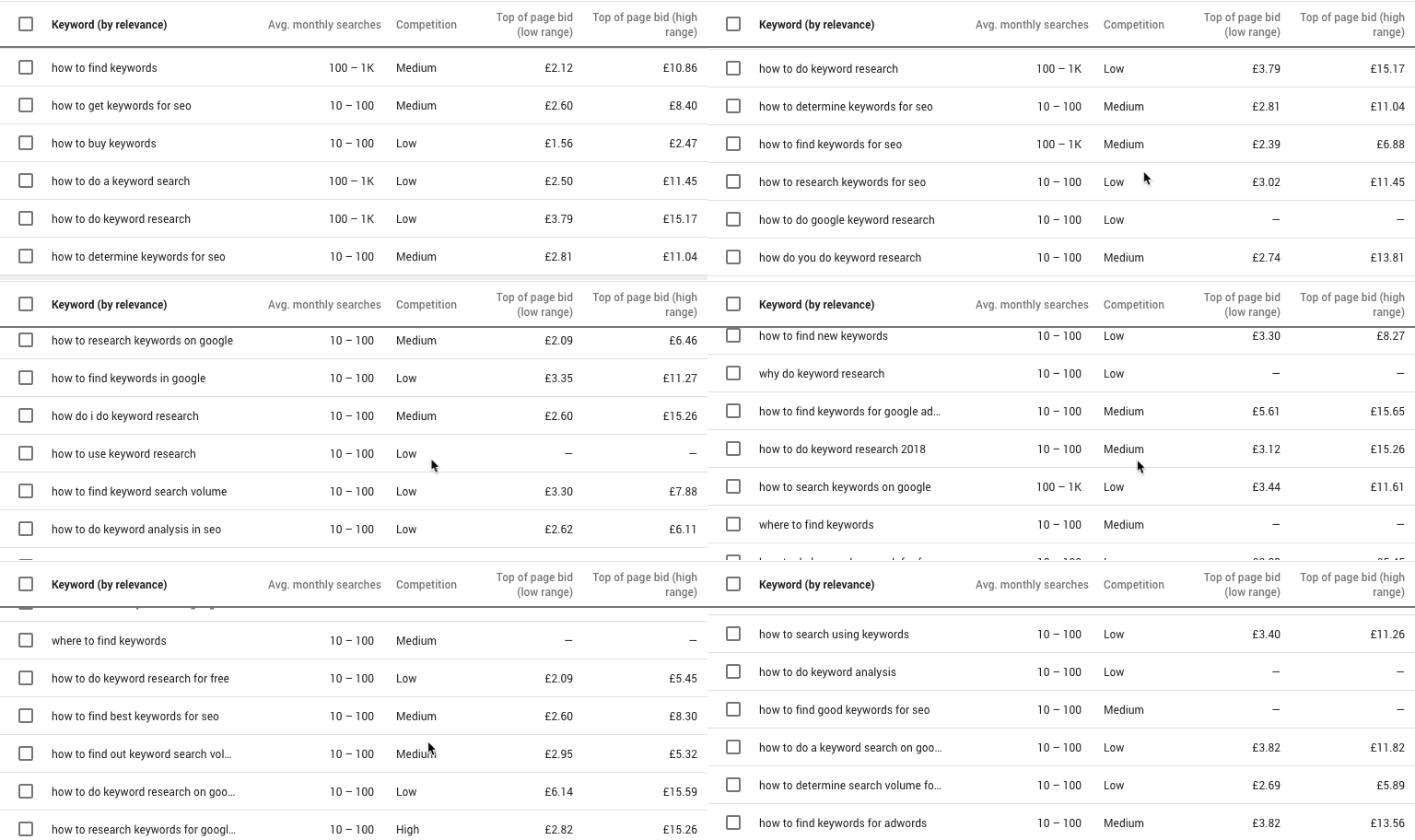

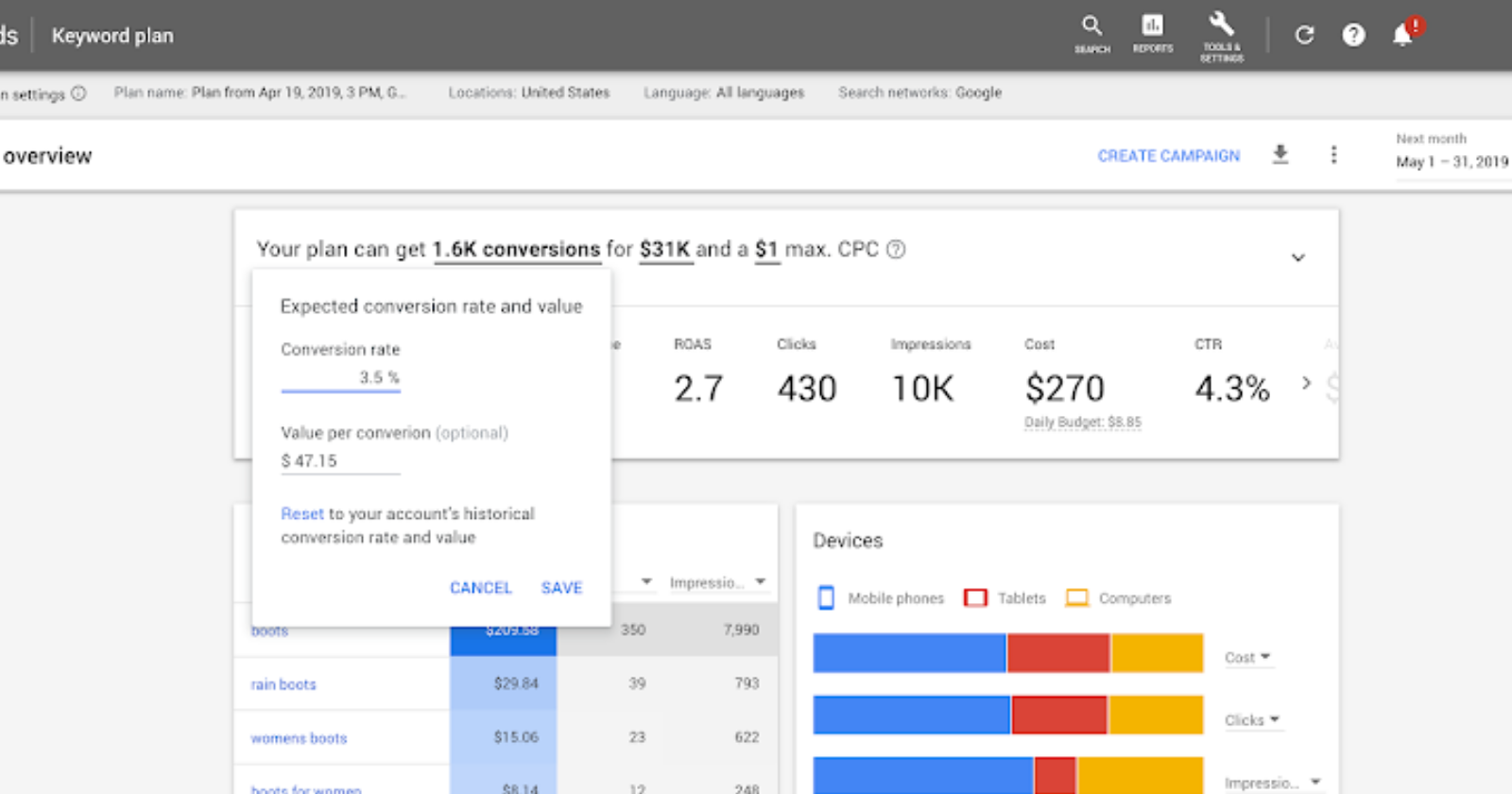

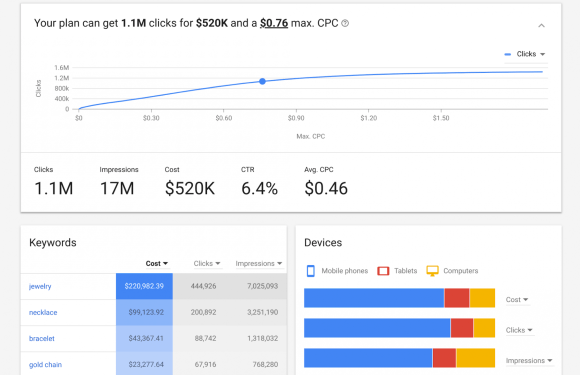


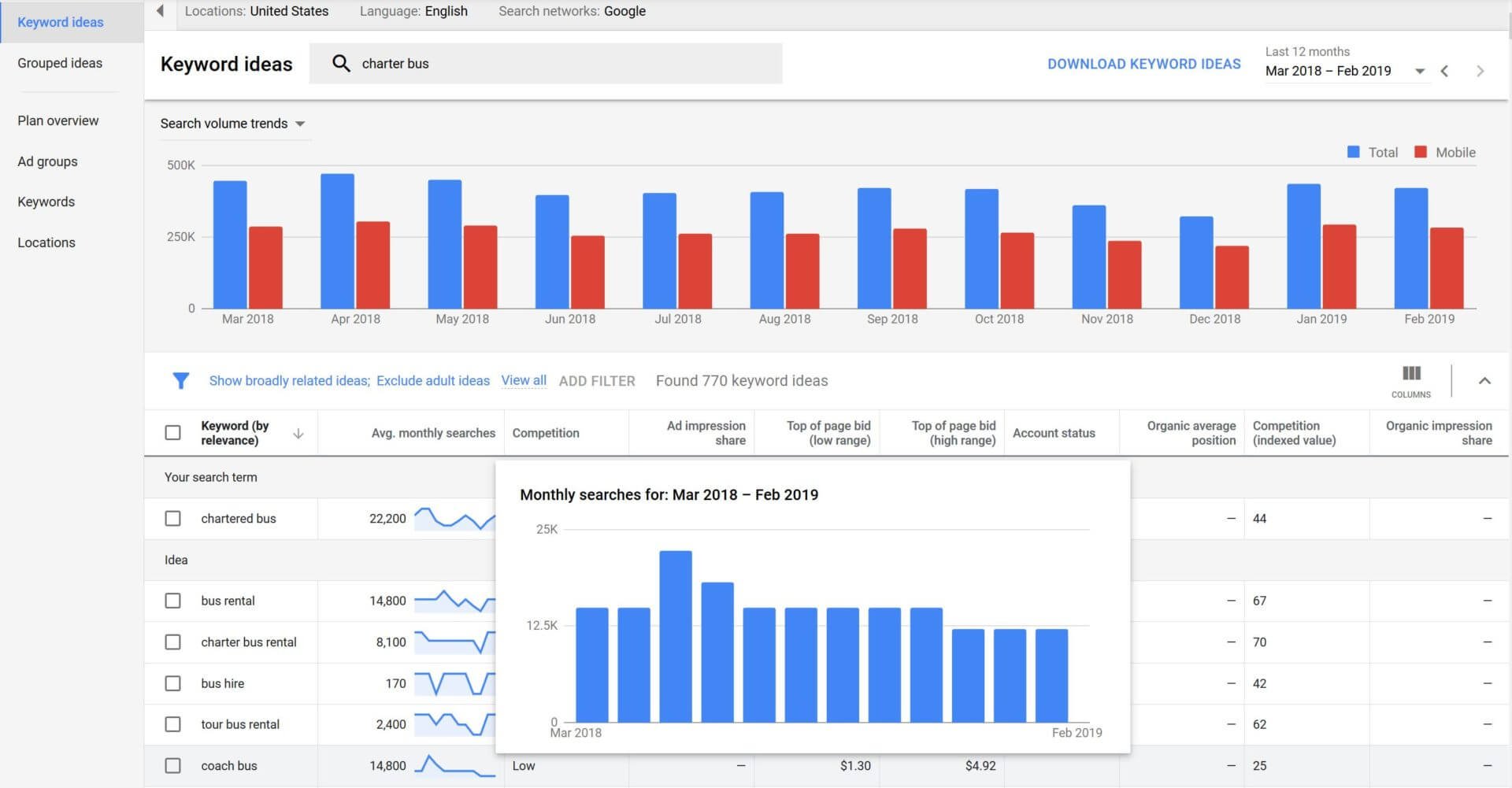



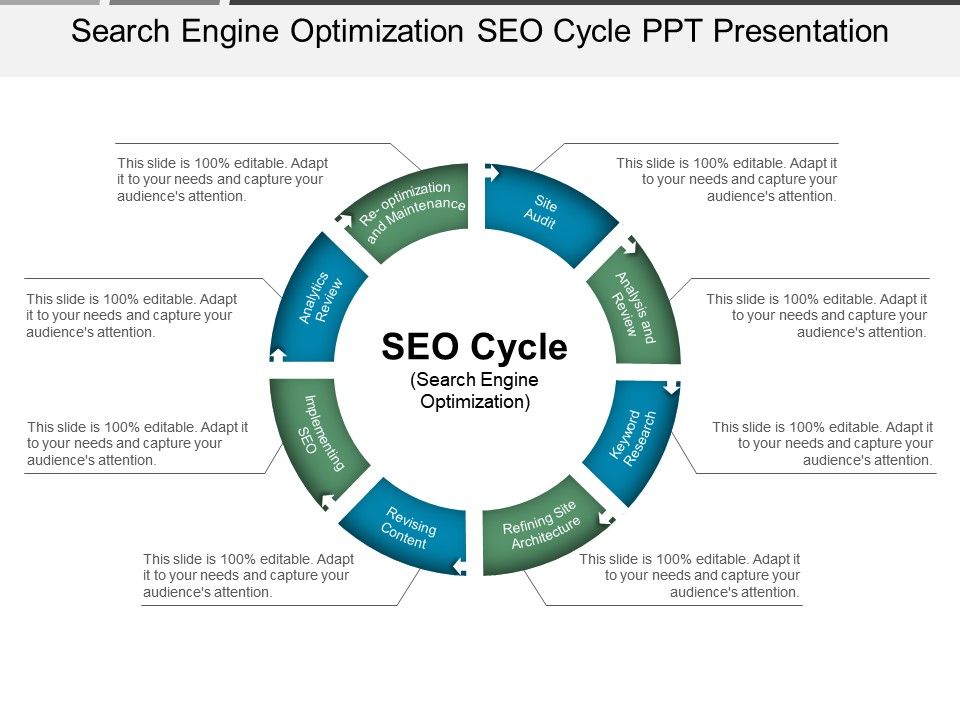


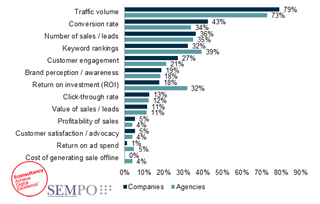




 Jimmy's Internet Marketing Business Blog