You might be thinking that It’s good way to boost sales or gain subscribers notoriety or even add revenue to your website.
But the reality is that Without building relationships and authority on your site, None of this is possible, So the first step in a successful blog is finding your niche Write about the thing you do that nobody else does quite like you. Maybe you knit baby Yoda bean Bags and sell them on Etsy Write about your progress. Your Current ideas and projects – I see this all the time. With painters and artists, where they take a photo twice, A day to show their fans the progress of their Latest piece of artwork, I love that And be authentic, be yourself.
People really love that And your audience doesn’t wan na Hear you sell, sell, sell they wan na hear you tell tell tell all about yourself and your craft And pacing is key for your blog. You wan na write, often even if you think you Aren’t reaching anyone So commit to 15 minutes a day to update your status on projects, Add pictures or articles To enhance the experience for your future readers, This is going to take time.
But persistence is the key. You may not realize it, but all this work will give your blog and website authority which over time will increase your SEO and potentially help you Rank higher on Google search Yeah, we noticed that trend back in 2009. During the Great Recession, businesses were slow, so they turned to blogging about their business and connecting with Customers in a new way And the time they put into their website and writing about their Business paid off big time once the economy got going again and suddenly they were On top of Google searches and consumers were ready to spend money and those businesses reaped The financial benefits, But it’s a long game.
This doesn’t happen overnight Exactly this takes time. So once you have a good Cadence going with your blog and you have something That you wan na share with the world now’s a good time to start Connecting with others that might share your interests, So, if you’re making those Baby Yoda bean bags reach out to knitting Communities, forums and websites, or even Star Wars crafting and fan pages. It’s a great way to share your story and get people interested In what you’re doing Okay Darlene, let’s show Everyone how to get started on building out this blog page.
Now we’re going to go to demo the Website + Marketing, Version on the website builder And if you’re looking for a WordPress version of this demo, we covered that on The Journey and you can read it right over here: Cool, okay, let’s go Log into your GoDaddy account and go to your website. Dashboard. And click Edit Website, You can add your blog to a Section on your current page or you could create a Separate page for your blog For now we’re going to add it as a section to our current page To add a section we’ll Select Pages and Sections and then Add Section: Let’s choose Blog, Take a look at the layout options and select the one you like We’re going to add the top one.
The blog displays on your site Use the pane on the right. To change the layout, We’ll look at Manage Blog in a moment, but for now let’s look At the Background Image, As you can see, we can replace the image, but we’re going to keep this one. For now We can zoom in or zoom out, And we can adjust the overlay And the blue dot on the image allows us to adjust the focal point. This is the area that will be most visible to users on their mobile devices.
So the last option is to change the image from Color to Black and white. Once the image looks just How you want it click Done. Let’s check out the Manage Blog page, The blog page is where You can Create Post, manage comments, share Your posts on social or manage blog subscribers To return to your website click Website in the toolbar. If you wan na, keep your Blog on your homepage, then you’re good to go.
However, if you wan na See how to move your blog to its own page start by going back to Edit Site Click Pages and Sections and Manage Pages. Let’s Add a new page: Let’s call the new page, My Blog. We want the new page to be accessible from the Navigation as well as the Footer, So, let’s make sure both Of those are turned on When things look good, create the page Now you’re ready to move your blog from the homepage to your new page.
To do this, we don’t wan na add a section we wan na go to our homepage. And find our current blog Click Pages and Sections Now scroll down to find The My Blog section Click the kebab, which is The three vertical dots on the right and choose Move Section: Select your blog page and click, Move Click Publish to save the changes. That’s it. Your blog has been moved. To your new, My Blog page, Awesome Darlene, Thank you And look.
We realize that These are challenging times for businesses, but Godaddy is here to help If you need assistance, feel free to call the GoDaddy support line and Talk to one of our guides Until next time stay safe And stay healthy.
Com, and I want to show you guys how easy it is to create a website for your salon. I use a company for my salon website called Wix, I’m not really affiliated with Wix in any way. I just think it’s a very simple website builder for anybody. Anybody can do this, so I’m going to go ahead and I’m going to show you guys so, let’s switch over here alright.
So let’s get started in this way. So this is basically the Wix website builder. It looks exactly like a website, that’s what makes it very convenient a lot of you don’t know, but most of the time websites are built with something that they call code and code is basically a bunch of letters that somebody that went to school for a long Time learned to write – and you know most people cannot do that.
So this is so simple, and what I like about Wix is. Let me just show you. This is our front page of our website, so my salon is gratitude, salon, education. This is definitely not if you’re a website builder already. This is not the article for you. This is just me, showing you salon owners out there that it’s easy and you can create your own site very simple, so this is the basic menu. We have our social media stuff up here, so you could click that that’s easy to set up.
So the cool thing about Wix is it’s just as easy as clicking it? Let’s say I don’t like that there and I want to put it over here. I can do that and I just drop it, but let’s I want to keep it right there. So we have that up there and then I have my main menu here. All of this is connected to each page that I have developed for our website. So if I want to shrink that down a little bit, so we have our home menu, which is this, then we have our salon like about the salon and what? What the salons all about so the bio of the salon.
Then we have our menu for the salon. We have a portfolio with some pictures of hair that we’ve done and then a contact page and then the salon professional page is the free salon, education, komm page, which you can also click this image here. So, let’s just start with the basics over here is how you create pages. So if I click that it opens up, it shows you all of the different pages that are connected to our website.
So if you wanted to, let’s just start with the salon page so I’ll click – that this will show you what the salon page looks like it shows a picture of our salon very simple, and this is a slideshow. So it’s many different pictures put together. We have basically the description of our salon, what our salons all about, then there’s drop-down menus from that. So if actually let me open up, let’s open a new tab and let me go to salon gratitude comm, so this is our actual page and how it works.
So if you go to the salon, you can see this drop down menu here you can see that the slideshow is working here, showing some of the staff and everything so to create these drop-down menus. Let’s go back to our editor. I have my main salon page. Then you can see how these pages are offset. So now each of these pages, this one is the salon. Then we have owners so a picture of me and Christina and Hayden, and it just talks about us being owners and what that’s all about.
Then you go to our team and it has the BIOS of our whole team in here kind of breaks down everything. It’s really simple to do. So if I want to create the main salon page here and then have drop down menus from it right here, you can see these are a little offset. So if I want to actually show up in the menu I drag, let’s see I could take this page drag it over and now you can see team shows up here.
So if I want it to be in a drop down menu from the salon page here, then I just drag it over. So it’s really really simple. Anything I want to do if I want to change this picture. I’ll have to do is double click it once. I double click that picture see here. It’ll bring up this editor and you can upload there’s some of our friends in there. This is also connected to the free salon, education, comm page, but any picture I want to add in there let’s throw Josh XO a bone.
Let’s say I want to become Josh Excel, so let’s change the image and boom it puts it right there. You can change the size if you want, and then that becomes your bio. So let me go back to let’s change it back to me. I don’t have to be Josh, so, let’s see here and there we go. So it’s back to me. So it’s just that simple to change the pages and whatever you want it to be. Now we’ll go back to our pages here we have our menu.
That brings up the same thing. If you want to click an image, you can add images, you can change your pricing, you can write whatever you want. So let’s say I want to edit this text. I double click it I can highlight. I can write whatever I want, so I can come in here and type in and then you click out of it and you’re good to go. Let me just take that away here, so it’s just really simple: to create a website on Wix and the cool thing about Wix.
Is that it’s free for you to start so you just create the page and then the maximum amount that you’re probably going to pay, is $ 10 a month to be able to have a website. You can create your own domain and everything, and as soon as you have your page, the exact way that you want it, you save it up here so once you save it you’re good, then you hit publish and whatever is already done on your website.
Once you hit publish its going to go live so you can do all your editing and then, as soon as you have it the way you want it, then you publish it and it’s it’s ready to go so again up here. You can change your your logo and everything, and this is something that you want to get into it. Try it out and you’ll you’ll discover different things. This isn’t a full tutorial on it, but this is just showing you how easy it is to create a website.
Nowadays, now the other cool thing and let’s go back to our home page here, creating a slideshow is simple, so you can see all these images that I have added in here. So that’s going to rotate through. You can add your titles, whatever you can link them to other things, so that’s kind of a cool function as well. So if you have something, maybe you’re running a special in the salon – and you want to link it to that – I also we gift cards in the salon and we use millennium a gift, so they’re online gift certificates.
So what I did was I created an image and then this don’t do that. I linked it to our Millennium a gift. So now, if you go to our salon website and you’re like oh, I want to order a gift certificate. You click that it takes you to our page on millennium, for them to purchase a gift card which is really cool as well. We there we go so has our logo here they pick a design whatever they want. They buy the gift card to emails it to someone which is another cool thing that you can do, but you can click and add everything to whatever you want.
We have our reviews in here wedding page, so I think that’s pretty much it, but if you guys have any questions, please post them below on anything about building a website on Wix. I can answer them. I hope I’ve kind of clarified some things for you on this, but make sure that you subscribe to us on youtube and follow us and again post any questions below I’d love to answer them. Hopefully, this helps you guys and make sure you go to Wix comm create a website, have fun with it, and you know this will save you a lot of money and it allows you to have a little bit of creative control on what your salon looks like Online, so thank you guys, Matt Beck from free salon, education, calm and I’ll.
This is Bruce with the BSVP On-Site here at SES, Chicago with Greg Jarboe from Seo PR Greg there’s a great conference here: Today, but this particular YouTube his me some Changes versus last time we talk. What are some other basics there. Someone just starting off with the company Website or company Google+ page should be doing with their Youtube blog Well, first of all, they need to Understand that having a YouTube blog now requires You to become a programmer in the old days, it was all about.
I need A article and hopefully the article, is a hit and goes viral when we get to the gazillion views. Well, Not many people had a gazillion views, and these days it Turns out that having one here isn’t really a model for success either So let me give you the numbers ominous. This actually comes from CEO YouTube. If you’ve got really compelling article about it, said dog on a skateboard You can sell advertising next article about two dollars, a CPM to the two dollars about, but if you’ve got a skateboard blog or a blog about dogs, you can sell advertising on that.
For Twenty dollars a CPM so ten times more and the reason is Because advertisers want predictability, they don’t want to have to chase last One hit wonder they want to be able to say you have an audience its interest in Skateboards urs interest in dogs, water is, I have dog food or I have been all skateboards, the so whatever it is, that The product is in, I want to be able to advertise on Blog that has that audience week in week out month-on-month.
So all The sudden, if you’re interested in making a living On YouTube in there are thousands of people were making six-figure incomes a year. You can’t think like a Programmer reminder produce this week next week. Produce a week after in because all of that shift word google has done is given us the one blog. There was a lot of Gnashing of teeth when that happened, because all lot of people who’d invested in creating You know brand blogs that were customized lost, All the customization, but what the game in exchange was the Fact that new one blog is friendly on mobile Devices include smartphones and tablets in interestingly enough.
We just got this Fact, wide two weeks ago, forty-percent articles, you know you too Now viewed on mobile devices so or having a Site that is friendly on a smartphone or a tablet is nama thing you may you may want to live Your customization effort boy, you picked up big audience so, but if you’re running a Business, your business’s producing widgets Howard And Pau with monetizing your blog you’re trying so Your own product, as opposed to your, I guess, station yeah it so if you want To use your blog for marketing as opposed to selling ads next to your articles at the same Thing I don’t wan na reach forty percent of the people, we’re going to read articles on a mobile device, seldom widgets to so one way or another.
Despite the fact. That meant that people had to make changes. Are taking advantage of this new blog and some other new features? That they’ve offered is important, whether you’re using the Blog for marketing you wan na drive traffic to Your website or using YouTube to monetize those articles, you’re Trying to make your careers YouTube content creator source the best content it it turns up. Funny is Still number one I, the new david, has just come in from The Pew Charitable Trust, so it’s from a neutral third party and I’m sorry comedy – is still King number to go in.
This is new data. This is certain jumped off the chart. Last couple beers is how to articles an are it’s really hard to be funny, so not Everyone can actually pursue that as a genre. The content for whatever their trying to Do whether it’s marketing your make a living, but how to all of us can Do how to articles in its is really surprising how much People now turn to you too, when they have a how-to Question 1 answer: after you, russia’s article Google brass Balls very impressed ball.
This once-a-year, if You, Google giant brass balls you’ll discover that An article that I wrote for Search Engine Watch ranks number one in what the article was about. Was there Was an effort afford to try to get Stephen Colbert Tour ranked number one for German brass balls: And I wrote about it, and a part of this was to demonstrate That, although Google said Google bombing didn’t work anymore, we thought that it Still could in it did, but as soon as we present that Data a CS Toronto: Google did what they do and ironically I now Rank for the term that we were trying to get Stephen Colbert a ring for so arm.
Obviously, some the engineers a Google have a sincere, don’t think Stephen even ring sure that All now, but I do so – it’s interesting party have Tribune You can pick up and hurt so basically to get ranked Number one Creech, a good blog, create a good article. Dads is long-tailed in specific yeah, I N and and embarrass the hell out. Of Google for at least a week or two and then you know, guess what the they have ways of changing their Algorithm from time to time – and lord knows how I ended up number one, how can we find more about Greg Jarboe, Lord his a rash on the internet? So you can do a search.
You know your right. You can find me a at our website SEO hi from PR dot com. You can find that I write articles for Search Engine Watch an real SEO. You could read when my books, one of them Is YouTube in article marketing in our day that was published two years ago and so I recommend you, don’t read it because trust me you to his change. So much last Two years up, the eleven chapters in the book – 7 A.
M. Or out-of-date so don’t read about, but the new one that Is just out last month, so its only foreperson other day, I is strategic. Digital marketing, a written a chapter in that book along With a whole lot of the other faculty at Rutgers, who teaching the digital Marketing program, so you can find me there, you can find me to CS conferences. Thank you. This is Bruce him a blow with BSPP and site
What I want to do is take a look at what I would suggest some of our more advanced students would do and how to use this as a tool. So one of the cool things about soundcloud as you’ll see is that there’s a way that you can go in and you can annotate audio clips.
So what you’ll see is here is a clip by cindy tss, red, hot chili peppers and basically, let’s go into the the adventure club remix. So if you take a look at this all these little slashes here, those are areas where somebody that’s in this community went in and left the annotation okay. So you can see this person here up south been waiting on a new one for a minute. It was worth the wait that might not be exactly what you want your kids talking about in class, but you can see the power that’s involved in this, so you could.
You could have a piece here where you record an audio clip or your students could record an audio clip and then, if you or they go in, you can basically go in and grab the audio clip and then annotate it we’re going to take a look at Some classical music I’m going to go in and look at this track right here and there’s only a couple. But let’s see how this looks so as audio is playing, so you see ghosts, prints came in and said, lovely there’s a way for individual students to come in and leave their text leave their annotations and it’s pretty easy to do so.
I’r going to go in, you saw a piece that I had here. I could be listening to the clip that we just recorded and I’ll stop my reporting there. So you can see right there. I just added in two clips, so I can reply so you can have dialogue about a section of the tape. I could even come back in here and say this part of the recording tends to be a bit better than the rest, and I can post that up there.
What we can do here is, as the as the teacher you can come in and say: okay, I love your emphasis on the words that Pinsky uses here. This part is a very you. You know this is a dramatic part of your production that I appreciate you could add elements where you’re a little bit more critical of your students, but the nice thing is that all of this is here in soundcloud. Once you have an account, you can create the clips, you can annotate the clips.
It makes that whole process of recording and uploading as simple as possible. What’s also nice about soundcloud is it is an online community. You can annotate, you could create groups with your kids. There is a limit to the amount of minutes you can upload. I think it’s around two hours, then you can pay for more. I think, for your purposes, you could pretty much accomplished everything without paying for the number.
One thing that I would have a concern about and that you should be concerned about is the fact that it is an online social network. That’s based on music and it’s very healthy okay, so there are tons of artists that released tracks here, there’s tons of people that are involved, and some of it is questionable. Okay, you cannot ensure that your students will be safe here in these environments. So what I suggest you do is you don’t send them in and have them just hunt down and look for you? Okay, don’t send them in and just look for you and try to find you.
Okay, because I’m a fan of DJ shadow. Okay, I can go in, I can follow DJ, shadows, music. I can listen to a lot of his pieces here. You might not want your students just to go in and find you and basically follow your tracks and mark up your tracks. Okay, the way that you get around that is, you create private lists. You create private tracks, private playlist, you embed those in your website. Then your students never have to come back here to SoundCloud.
Okay. What they’ll do is they’ll, go to your website. They’ll see an embedded clip on your page. That basically looks just like this. It plays like this, it shows the annotation and they can annotate, but they don’t have to go back to sound file. So, in a nutshell, that’s how now that we’ve created a clip and made it private, that’s how we annotate a clip. If you want to come back at any point and figure out how to do this, I basically put together a tutorial will be sharing that the instructions on how to get there, but we have a tutorial.
That’s set up showing you how to do all of this. On the website, I’ve set up for some of these directions. I show some of the standards that are involved and down below. I show screen cat captures on how to do this on an iPad, so this is basically exactly what we’ll be looking for when we use soundcloud with our students and use it for annotation purposes.
Let’s jump in. I hear a lot from different businesses that Twitter is dead. It’s irrelevant! Why? Why should we be on Twitter? Give me what are some Pros to using Twitter, So I hear that all the time too, and it’s absolutely not the case – It’s on the rise popularity is growing and Twitter is really Unique in that, the real time that it embraces is What makes it so special So should all businesses Use Twitter or should some Are there certain use cases where you probably should avoid it? I’r a big fan, I’m a huge advocate of using all three Platforms, Facebook, Twitter and Instagram because they Work better together, Okay, But the thing about Twitter is and some view this as a Con is the algorithm So you’re not going to just see things in a chronological order.
Okay, So to keep your content Actually, coming up and being found, you wan na make sure that you have quality Content, not quantity, You don’t need to be Tweeting on steroids, Mass, producing content right. You wan na make sure that you’re giving something of value to your audience. What’s kind of the first Steps once I sign up What should I really look at So first steps. You definitely wan na start following like-minded users, Okay, And that can also help you to get in front of their followers, which will give you a really organic presence And then also go and engage.
With other users on Twitter, You know go and click retweet on something that makes sense to your business. That would also be of Value to your followers, So what about my profile? I know there’s some things that I should probably do just To make sure it’s consistent, What does that look like With your profile, you wan na Make sure that you have usually do you have a logo Yeah Yeah, so you wan na put Your logo out on your Twitter and definitely make sure Your handle is consistent, So that’s a at symbol and then the name of your business preferably Make sure that’s consistent across Twitter, Instagram and Facebook.
‘Cause. After all, you’re Branding yourself Right And then from there you Have a little bio description right beneath the photo and your handle Cool. So one of my just absolute favorite topics ever are hashtags Hashtag. I did it all. For the cookies right Tell us about kind of the Best practices using hashtags Like should we just go On a hashtag tangent, are there best practices What should we avoid? Give us a low down? Yes, so definitely real it in don’t need to go hashtag crazy, Okay, But I also love hashtags.
It’s a great way to get more exposure, They’re free to use, and it can help you to be found by someone who Doesn’t even know you exist Also, including an actual Caption that you’re writing it’s one of my favorite things to do when I’m traveling the country – And let’s say I did this Seminar right on social media – and I got a cool picture me – At the microphone feeling [ Justin ], I can see it now Feeling pretty cool at a trade show, and so I wan na, like get That out to my audience – and I caption it like “ Having a blast sharing # socialmediatips.
”. So then, it’s in my caption and then now, if anyone’s searching in the area or social media tips in general, [, Justin ] Right, I have a chance to be discovered, Seems more natural, Right than just having it at the very end make it Part of the conversation Exactly make it part of the caption, But do both by all means. Okay, You can get real localized with it. [ Justin, ], Really Yeah. So when I travel Like, for example, I was in Austin recently, I just wanted to know where’s a good place to Eat or get a craft beer, You know it’s a big thing in Austin, So I would just search # austineats and from there I found Out what tourists locals where they were going to get food and then that helped me make my buying decision So think about it as a Small business owner: how does this relate to you? Well, consumers are out There searching hashtags Right When they’re looking For a product, a service, a cup of Joe And then so, if you have these hashtags on your Posts you’re more likely to be found when someone’s Searching coffee, Perfect and what I would say, To you, when searching that joining in on the conversation With those hashtags that are relevant to what you’re searching and that’s what’s more Important about Twitter right Is talking to people and being social, social media for a reason, Yeah exactly it’s a two way street.
That’s the beauty of it Right, You’re, not just talking At your customers, anymore, you’re engaging with Them it’s a conversation and, at the end of the day, that’s what’s going to make your presence more powerful. If you have This two way conversation Right on. I dig it So next up, we have Really paid advertising.’Cause. I know I’ve seen Some paid promotions on Twitter every now and then Is there any relevance to that.
Should we test it out? What are your thoughts, I always say, start small and be sure you’re paying attention to the metrics, Otherwise you’re just blindly Spending money right At the end of the Month, you’re like wait: where did my money go? You’re like well Yeah, so just start small, So Emma so we’re Tweeting a lot we’re searching hashtags we’re using hashtags. How do we know if what we’re doing is Working and relevant Is there any place to go in And check what we’re doing There absolutely is a way to track Twitter.
Has this account dashboard that you can actually see even what time of day people are looking at your Tweets, which could really be informative? You know I used to work at a coffee shop and what we found is there Was certain times of the day that made sense to Tweet To get people to come in Right, Coffee, early risers, You can Tweet something at 5Am about what you have on what your drip coffee is or Your special foam on your lattes and that made sense you know And then so thinking About the time of day, looking at your Twitter Analytics to see what works best Yeah, But also the top Tweet Is really informative? What do yo mean by that? Like the Tweet, that Got the most impression, the most engagement, That’s going to help inform the Next Tweet and your strategy – Okay, Oh also the retweet.
If I’m getting a lot, Of retweets from users I know, oh they liked that you know They wan na tell their friends Yeah like I should include more photos of me skateboarding That got way more retweets and then that informs my next Tweet. So there’s two different Types of retweets, if you will There’s retweet and there’s a quote: Tweet Yeah. So while it’s fast and efficient to simply click retweet, You know back to the million Things you were doing Right.
We found it to be more beneficial. To quote, add your own caption.’Cause, then you’re, adding Your personal flair to it and you’re really explaining the relevance of that Tweet too. Why are you retweeting it Sometimes. I feel like I’m Spending all day on Twitter Is there a way for me. To not have to do that Like can. I just go and Do it just once a day’cause I have scheduled Things help me out here: I don’t wan na spend all Day on social media, I’ve got a business to run Absolutely so there Are ways to outsource [ Justin, ]? Okay, If you don’t wan na, do this Godaddy Social (, laughs, ): There are teams that can Take this off your plate, but if it’s something You wan na do on your own.
You wan na be beneficial with your time, So I strongly strongly Encourage a content calendar Okay! What’s that That what you get a Calendar a blank calendar, and you just plan out couple days of week that you wan na Tweet and Do it months in advance, so then you don’t miss piggy. Backing off of a holiday, Even unofficial, holidays, Like national hotdog day, There’s literally a random Holiday for every day, Yeah, and not all of them, are going to make sense to your business Right.
But if they do you Can really piggy back off of that with Twitter, but the Content calendar is going to be key to help you plan out in advance, So you’re not rushing And scrambling, like I haven’t, been on Twitter for a few days. I just need to go out there and Tweet. No One tool that I found. That is, pretty cool is Tweet Deck. Have you checked that out? No, I haven’t So Tweet Deck. Actually, let’s you it’s inside of Twitter Itself, but it let’s, you schedule out your own Tweets.
So that you don’t have to have to go in every day and post, You can literally take some Time or chunk out of your Monday and schedule out your content calendar, and it will just spin it for you, Yeah and I would just be Cautious with that, though, because while that’s Maybe a good way for you to manage your time. Rather, you wan na make sure that those times of day are Working for your consumers,.
‘Cause, that’s the key! You Want your Tweet to connect with your consumer at The most optimal time All right, thank you so much Emma. This has jut been a blast. I’r going to invest in Twitter now, Like it’s changed my life, so thank you. Hashtag life changing Hashtag life, changing (, laughs, ), Awesome! Well! Thank you. All so much for reading This has been The Journey. Make sure you, like Subscribe comment below, Let us know your thoughts and let us know what you wan na see next And thank you for reading.
Yes, honey. You guys filming with three little kids is hard work. Okay, first up was the library so that I could pick up some more books that I ordered to finish up the articles, my planning article for you guys, and then I also stopped by the discarded book section, and I picked up a few goodies.
They like to run through these trees every time we walk back from the libraries alright. So now I have to head back home such a task to get to and from the library that’s right down the street hi guys, I’m back okay. So what do I start? I’r going to try my best to walk you through how I organized my thoughts and planned out our year. I don’t know how comprehensive this will be, but this is just what I did so these are all my books and telling you how I how I did things yeah now I can kind of show you what I got from the discarded section in the library.
I love Steve Jenkins books, they’re, always in my Amazon card. This one was just 20 husbands, so this is just the Vita book. The Secret Life is money, a kid’s guide to cash for Cameron, like 20 factors, one a very hairy bear grande big mission, and then the last thing that I got was Jane. The Fox and me, the people that I readed on YouTube are probably nothing like what you think I would read. Oh I’m obsessed with reading artist articles, there’s a few blogs that I read regularly and this book came up in one of the books that they love.
So I recognized it when I was still library and I just wanted to take it out. I don’t actually know what it’s about. I just know that they thought it was really wonderful. So sorry, this is all over the place. The other one should be a little bit more straightforward, I’ll, say well, my Instagram story, so I was going to be filming today. The whole planning process, so this article is probably going to be split up into maybe like eight or nine articles, because I don’t want this article to be super duper long.
So this one we’re just going to chitchat about how I organize, like my thoughts and our goals and things like that, how it kind of like organized yourself when I go to plan a new year and then after this I think I will break down. All of my curriculum picks for homeschooling multiple children by subject, though so I’ll do that one article for each subject to lay out all of my picks and how I plan on using them and then, at the end of the three articles a day in the life Article for each of the kids, following each of them around that will kind of show you what each of them are doing for their grade level and how I kind of pull all of the curriculum together.
So, in the end it will probably end up being maybe spoil article me in 12 articles or so hope you don’t mind but, like I said, I can’t have this article be like an hour and 30 minutes. So it’ll just be better. If I can just split them up into separate articles, I’m trying to figure out how I’m going to communicate this to you guys. So the first thing that I do is I went ahead and did about a week or so of assessment time.
That gives me some time and space to like really spend individual time with them and see if there are some things that I had been missing along the way, some things that I thought they were doing extremely well in and maybe they needed a little bit of Help in or whatever so you guys know, I did that and then after I finished that up, then I just sit down with a piece of paper and try to organize my thoughts and how I’m going to tackle each section.
That’s going to need a little bit of attention figure out what I want to do differently this year, what I’m going to get rid of what I don’t need anymore and, for example, what I mean my dad. You guys know that I have been using time to learning and I had two accounts one for each boy, and I just decided that this year I mostly use it as a safety net and a guide to help me when I am. You know just not as confident when times when I’m not as confident or where I need a little bit of assistance and then also like for homework time to keep them busy and always learning with each year.
I become a little bit more confident and so this year I feel like I don’t need it the way that I have been using it in the past. I think I am going to keep it I’m going to keep it for sure, but instead of having to account, I’m just going to keep one account and I’m going to still use it for like random homework time. When I need to keep them busy and then I’m also using it to help me with my planning to help give me a structure or a little extra assistance when I’m having a hard time, so I’m just going to have one time to learn the account now.
So that is one change that I made. We are no longer using there with homra. I love mine with Homer and it worked extremely well with my boy, but I noticed it is not working as well with my daughter, who is the one that would be using it now. I recognize that I was going to need to do a little something. A little different with her, so I went ahead and cancelled, learn with Homer for us this year. Those were the basic changes that I made and then after that was cleared up.
I just kind of organize my thoughts on a piece of paper. I’ll show you my piece of paper: it’s not gorgeous, but if you can see that or not, but I just used the sheet of paper to scribble down some of my thoughts and to kind of organize myself on how I was going to tackle each thing. So the very first thing that I started with was my portfolio, which you guys already know we I do my portfolio in Evernote.
After I finish that, then I will work on my goals, Dropbox and notability, which is basically my like electronic worksheets and I’ll. Tell you more about that in a little bit for five, I’m going to be working on apps Pinterest and YouTube my YouTube playlist, I Pinterest boards and then whatever apps, that I’m swapping out or changing or upgrading or whatever. After that, I’m going to be working on books so just sorting through the books that we’re going to be using this year for curriculum and then the new thing that I am using.
I’r going to try it out for a month or so and see how it goes, but it’s a site called epic comm. I think it’s good epic calm anyway I’ll get into that in a little bit. Seven step for me is going to be working on my wishlist and shopping for supplies and then the last thing that I’ll be doing is just planning getting. My plan supplies together this year, I’m going to be using a bullet journal and I feel like this article is going to be pretty lonely guys.
Oh well, okay, so the very first thing that I’m going to be doing is working on my portfolio in Evernote. So I basically told you how I use Evernote mostly and that’s another thing I have been wanting to do home school record, keeping a certain way since the beginning. But when you have a certain thing in mind, you start off by giving it a try or starting something, and then over the years you kind of tweak it and simplify it to make sure that it fits and works for you.
So Evernote is something that I started using in the very beginning, but I did nothing with this the first year because I overcomplicated everything – and this is when I show you guys what I do. You may think this is complicated, but just think about four years ago and started how complicated I really made things so over the years. I have simplified things and they’re starting to work better and better for me, and I will show you how I’m using that.
But basically, at the end of the year I take whatever I did actually compiled in our portfolio from the previous year and I kind of archive it and then make new stacks of notebooks and Evernote to plan out this coming year. So I’m just basically going to show you how I set up my Evernote notebooks for this year of school. I start by taking all of the notebooks that I have for the previous year and I’m putting them all into one stack and archiving that then, after that I start with building up whatever notebooks I want for this year and how I’ve been doing it is.
I have one notebook for my homeschool curriculum resources. I have another notebook for my homeschool planner and then I have a separate notebook for each child representing their year of school, so for Cameron this year. This is his third grade quote-unquote third grade year school for Kendall. This is his quote: unquote, first grade year school and then for savanah. This is her quote: unquote, preschool year of school, so I have one notebook for each of them.
I have a home school curriculum resources, notebook and then I have a home school planner notebook. Now. Last year I didn’t have a home school curriculum resources, a notebook, but this year I want to give it a try. I may not use it extremely well, but in my mind is going to work, so I might as well give it a try and then for my homeschool planner, that’s also new. For me. I did not do that last year inside of Evernote um.
I just did it in with my planning pages, so all I’m doing is really I’m just taking my same planning pages and recreating those inside of ever knows so that it’s easier for me to access from anywhere. I noticed what I was doing with my my note book pages, which you may not do, but I was totally doing is I was planning everything out and then I was taking things out to reference them and then I was leaving them behind in different places and Then, when I couldn’t find it, that was a problem.
So this way, I thought that if I made sure that I had everything planned out and Evernote, I always have access to it and I never run the risk of losing it. That’s why I wanted to do it this way, this time around, also because of the way I’m using the electronic notebook in system deal so I’ll show you inside of the notebook, so each of the children’s notebooks is pretty simple. It’s just going to be a notebook, and inside of it will be a page and I’ll create a new page.
Each time we have a new week of school and basically I will take whatever we completed from the planner section and I will copy that into their notebook. That represents what they did for that week of school. So that’s going to be pretty straightforward and simple, and maybe I will show you more of how I do that in the future when we actually get into completing our weeks of school. But that’s how that’s going to go, then.
I have I’ll talk about the homeschool curriculum resources, because that will be fairly simple. That has five notes inside of that notebook, and each of them are books, learning kits living books, websites and worksheets, and basically I the idea was to have an electronic log of all of the resources that I have because, like I said in a previous article, Evernote Is searchable so if I get a new resource and I go in and just kind of highlight each of the topics that are covered then, when I am going to learn about a certain subject, I can go in or a certain topic.
I can go in and search that topic, and it should show me every resource that I have that I can pull from it. I felt like it was a brilliant idea. No, absolutely getting it to work will be the other thing, but I think this will be really helpful to me because a lot of times we get resources and we totally forget there were certain things in there that we could have used or pulled from. So I thought, if I just keep a log of what I have then I can go in and search and it’ll automatically show me everything that I actually have that I can use instead of feeling like I don’t have anything and then you’re kind of you know You go out and try to get new stuff, and then you realize later that you had something it’s good of you.
So I’m going to give this a try and see how it works. It may not work this year, but I’m going to keep trying until it works like I had in my head for it to work, so you nervous the real notebook that is going to be an interest to. You is going to be my home school planning notebook. So I kind of sort of set it up. Basically, like I do my planning pages, but the first section I have the first note I have in this notebook is being homeschool calendar, basically just that it’s just a calendar that lays out the month so that I can input all of my dates that I would Like to remember like Earth Day, I don’t know oil Day Presidents Day.
I forget those types of things. The next thing you know it’s right around the corner and I forgot to add a little something to our plans to kind of celebrate that, and I also just have a layout of my school days so my school day is we do school from Monday through Thursday. We still learn every single day, it’s just not as structured. We have structured school days Monday through Thursday, and then I lay out my school weeks, which is basically 38.
I think public school has 36 weeks of school, so we actually have 38 and then I lay out my vacation weeks, which is 14, so I have 14 weeks of vacation that I can move around as like the way we’ve been doing it so far since we Started year-round, homeschooling was, I just have a one week off every month and so basically that that equals one week a month, and then I have 10 floating days that I can pull from when I want to the reason why I laid it out like that, is Just because I know that I’m able to keep track in my head and I can eliminate that guilty feeling when you have other things to come up – and you know you may not be doing you know, you may need an extra day or two.
You know or three or four, but this way I know that I can pull from this time or we can like forge through and give up our week for this month, so that we can exchange it for another month when you are going to be going out Of town good, I’m trying so hard to film this article, for you guys – and I love having my kids in the background, but recently they have gotten. That’s why you don’t, even maybe they are anyway.
I rather my home school calendar just lays out the months. For me, so I can see a month at a glance year at a glance what we have coming up and then I can also just keep a tally of the school weeks and our vacation days I’ll skip down to our home school yearbook. It’s pretty self-explanatory, anytime. I want to add any photographs or any memories or any articles I just wanted them to be all in one place.
This may have been a good idea. It may have not, but I figured I might as well give it a try. So I have a section for a home school yearbook, whole school unit studies. So basically I have about 10 unit studies. I think maybe it’s 8 to 10 unit studies, where these studies are lasting between 3 to 4 weeks. This is an addition to our regular core work. So if we get to add these things on then great, if we don’t and it’s not a big deal, but I wanted to have it laid out ahead of time.
So I basically just took way too much time to add a few pretty photos to the beginning of each unit, because that’s just how I operate – and you probably shouldn’t do that because it was probably a waste of time. But then, underneath that I just lay out each of the activities, whatever field trip and then I add any links to any articles or you know any documentaries or anything like that – that we could use to help us for that unit.
Study – and I just have little check boxes next to each one of them so that when we complete them, I can just check them off, because you all know how much I love check boxes. As you can see. I have a color unit. Has an ocean unit? Human body light outer space and then my next note has weather and seasons. Then I have biomes the grow unit, neighborhood unit and dinosaurs. That’s the last one and how I got most of my information.
I gathered that together in my Pinterest boards over time, and that is where a lot of these photos come from and a lot of these links come from. I organize my thoughts and Pinterest. You know every time I just need a little bit of stress relief. I go and search a certain unit topic and just add it to my board so fun stuff. So now, let’s talk about home school goals. This is a major portion of laying out my plans for the year and it’s basically just like.
I had the home school goals on paper in my last curriculum. Article is the same thing except for I move that over into electronic form, and I just laid out by subject, I will go more into detail of what I have chosen for us and then the curriculum pieces that I have chosen to help me teach those things And as I break it up by subject in the articles that are going to come after these, but basically just me how all of my goals now I do get a little bit of help in certain areas like language arts.
That is where I use things like time for learning and I think it’s k12 reader comm. I use those places to help me figure out. What is the natural progression of what kids are learning? I mean it’s really kind of simple. If you think about it, I think that sometimes we just need a little help, knowing that we kind of know what to do. You know, because when you first have your child, you start teaching them the ABCs.
Like that’s the first thing you need to know, if you need to know the letters in the sounds in order to start building words in order to start different sentences, and that’s basically what language arts is, it just seems very over complicated because of how they lay It out in order to teach it in school, so I think that once it helps me, you know get my thoughts together when I can see things like on the curriculum is laid out on time for learning or in the k-12 reader.
I can see that okay, Language, Arts, the next thing they’re going to be doing, is learning about verbs and nouns, and it’s like oh okay, I get it. I get what you’re trying to do and then you can find a way to teach those things yourself. For me, I found that the kids do a much better job, just learning that thing first and then me going back and identifying what it is that they already know. I think I’m kind of taking that approach.
That makes any sense. But what really helps me is being able to look at some other, like common core laid out curriculum to see what it is. That is the next step for them to teach in that area. So I get a little help in language arts area and I will explain that more in the article where I talk about what I’m using when I’m doing for language arts. So I basically just layout each subject: Bible language, arts, reading, writing, spelling and I’ll all go into further detail about that in their separate articles.
That’s basically what’s inside of my Evernote portfolio and how I set that up. The next thing I do is a binders composition and art books, so I basically go through the ones from last year, pull out whatever I need to pull out, simplify the process a little bit. However, I’m going to simplify it and then set it up. So it’s nice and clean for this new year, and so the first thing I started with with our binder.
I was really extra with our binders in the very beginning, because I laid everything out by subject. I couldn’t really figure out like what I wanted to do with now. If I’m to the place where I know that it just holds our basic supplies mostly, so I have a little stack of their writing paper it’s inside of their binder and then I have two folders or housing any loose papers that they’re working on, and that goes Inside our binder and then I have a little rule, what they call a pencil holder under their pencil to color pencils, a little sharpener their little passport and eraser that type of thing, and then I have whatever resources that we’re using most frequently.
So in this case it’s just a little laminated map. There’s inside of that binder, then the next portion is my composition. Notebooks, you guys know. I adore my composition, notebooks and again when I first started using them, have a very extra about it and really didn’t know how it was going to fit in. So I had a lot of composition, notebooks that had maybe three or four pages filled out and then the rest them had coloring little doodles that the kids did randomly and sometimes they had the wrong things inside of the wrong composition book.
No, I feel, like those things just kind of happen, and you kind of learn to tweak it and figure it all out. You know, as you move along what I decided to do is continue on with that process and continue separating them by subject and I’ll just include any physical worksheets or things like I mentioned before that I want to keep inside of that specific subject. I’r still going to forge through as if I can do a better job at disciplining ourselves to keep the proper items inside of the proper notebook.
So I just went through, and since I did have a lot of composition, notebooks that weren’t, you know even halfway full. I would just rip out a few pages and log them loved those items wherever they need to go, and then I just am still going to use the rest of that composition, notebook and then, whichever compositional, because that I need to replace, then I go and purchase Those items I have it on my list of things to purchase on my shopping day and after that art books same deal clear out.
Our art book see if I can reuse it, if not go, get a new one. So that’s how we’re doing that. The next thing I’m going to is my electronic work sheet system. I’r really excited about this, because I am NOT a fan of work sheet, so this in the past I like being able to do the practice on the work sheet. I’r trying to be kinder to the tree. We already use a lot of paper in like our little makerspace, so I don’t use extra paper with a bunch of worksheets that just end up everywhere and I don’t know what to do with so.
It just makes more sense. It makes more sense for us to be able to complete work sheet on our devices, and I figured out a way to do that, so how we are doing that. I am using both Dropbox and the app called notability. I know the notability after you’re able to just basically completely fill out the worksheet as if you would on a real piece of paper or real worksheet, and I love that so I can even change the color of the mark to red.
If I want to correct a certain worksheet, so how I’m doing that is whatever worksheets that I download, I include them into my home, school Dropbox account and then Dropbox connects with notability, and I can upload them and include whatever worksheet I need to for them to Be able to fill out for the day if we’re going to be using worksheets, so I set up that whole system. This is where this is, where a lot of these come in, so that they can fill out their worksheet inside of their notability app from Dropbox.
The next thing I did was set up my apps, so I needed to clear off whatever apps they weren’t using anymore and then add any apps that we’re going to be additions to our curriculum choices by subject, so I needed to sort through my apps, my Pinterest Boards, which, basically I already talked about, I just went to my Pinterest boards and added some new things that I found during my therapy time. I just added them to my board and created any new boards that I wanted to create, which I didn’t really have anything new to create, because I already had everything under the Sun and then also YouTube just clearing out my YouTube playlist for the kids by subject.
So they could go in and read the articles that we selected and picked and have chose them for later to look at so I just needed to clear that stuff up and get all of that stuff together. So my apps Pinterest YouTube all of my electronic resources. I guess the next thing I did was my book search, my book search, so I did a physical book search and basically, I pull together all of my books and I was going to be using to help me teach everything that had laid out in my goal And I went and actually reserved all of those books, but I could sit down and do these articles for you.
So that is what I did a lot of reserving and collecting books from the library that I would return after I’m finished with these articles and then I, when the time comes, I will check out those books for us to actually use to help get through that Unit or subject or whatever it is that we’re going to be studying for that specific time after that, I’m wrapping this up. You guys, I know it’s getting long.
This is why it’s going to be like nine to twelve articles. The next one I did was my wishes, so basically anything that I know that we’re going to be doing in the past. I have planned out to do certain projects or certain things and never got around to doing them. So everything that I purchased for that specific project was kind of a waste because I really didn’t use it yet I mean maybe it’s not a waste, because I will use it eventually.
I’r trying to do be a better steward over our school monies. So, instead of going out and purchasing all of that being all of that stuff together, I just created a wish list. So when it comes time to do that specific project like a week before it’s time I’ll just go ahead and place the orders for those things and I’ll always have the monies available for those things. But I’m not wasting my money by collecting a bunch of stuff that I’m not using just yet, and I may not actually use so that’s where my wishlist comes into play.
I basically do my wish list by building a board on Pinterest and then also a wishlist on in my App Store and then a wish list. Oh my god does that I go and then I’m going to be also shopping for any supplies. So I am keeping a list of supplies that I need to make sure that I have stocked up on like pencils. I need more pencils and then one day this week, I’ll go out and I’ll. Take you guys with me to pick up those items and maybe look for a few extra fun things just because so then after that will be my last step.
The last step in my planning process is to just it’s kind of like a celebratory thing for me. I have all of my stuff planned out inside of my computer and available all my devices and everything and everything is good to go. But I don’t want it to actually have a physical planner that I can write in and doodle in and draw and in general all over and around, and instead of doing something like an Erin, Condren planner or a happy planner, or anything like that.
I wanted to try bullet journaling this time around, so it’s going to be kind of like a reward to me for finishing out my planning to go out and get a bullet journal and any supplies if needed, to try my hand at my first bullet journal for Home school so we’ll see how that goes. Okay, so I think that’s it you guys. We made it to the end of this particular article specific just article one. I don’t know how long this is going to be.
I’r sorry, but I’m trying to be as thorough as possible, because I get a lot of questions without this and I don’t know I just kind of wanted to share just in case it was helpful to you. Of course you don’t have to do my whole entire process, because I’m extra, but this is what works best for me and yeah. It’s it wasn’t that bad. I mean it seems like a lot, but once you get it all together, I start to finish was done with planning in a week, and so that’s really good for me because in the past it’s just taking me a lot of my brain space for a long Period of time and this time around, I just did it my way and I got it done and I had a lot of fun.
So I just wanted to share that with you. So yeah, that’s how I am organizing my planning for this year and so the next articles are just going to be what we’re using for curriculum, homeschooling, multiple children. So I will see you guys in tomorrow’s article and we will do Bible curriculum for homeschooling, multiple children. If you like this article, please give it a thumbs up and make sure you’re subscribed and leave me any comments or questions that you may have.
I know there was a lot in this article, so hopefully you stuck around to the end and I will see you in our next article
Today that my team has been working on to help you Be more productive building your apps locally and then extend that productivity. To the cloud as you deploy your apps and adopt Azure App Service in Cosmos DB, We’ll start with this app Here, which is an Express app built with React and uses A Mongo database on the backend I’ll start this app in debugging mode.
Just to give you An idea of what it looks like You can see it’s a sticker, app With no stickers, This will let customers come and browse and order stickers. And customize them, but again there’s no data. So let’s populate our Database with some data, So the first thing that I want to show you: is the Cosmos DB extension that I’ll, actually let you work With your database is locally as well as on Azure, In this case, I’m connected to a Mongo database.
That’s Running locally on my machine and this app is configured to use a stickers database on localhost. So let’s go ahead and Create the database that we need and the collection which Is just called stickers There we go now. We have a database And a collection with no data, So I have some initial Data that we can use I’ll copy this entire array, Of sticker objects and I’ll open up, what’s Called a scrapbook, So this is a fairly unique concept: To the Cosmos extension, What a scrap book because is is a way to write.
Your Mongo queries and get IntelliSense for the database that You’re actively connected to I’m already connected to The stickers database, but to do that what you would do, Is click on the “ Connect” button Choose my attached accounts my local database and the database. We just connected To or we just created Again you will get some intelliSense On here, so when I type Db, you’ll see the stickers collection, Is automatically recognized as available and we’re going To do an insert mini I’ll paste, the array Of sticker objects, I just took from my initial data And we’ll execute this command, As you can see, 15 stickers were added.
We can expand the Collection and actually see those collections or those Documents within the collection – and I can actually click on these documents and make changes. To them directly in the editor, Saving will upload The changes to database, But for now let’s just go back to our app and make sure That the data works Okay, Cool. So this is what It’s supposed to look like and it’s working on, our local machine and let’s go Ahead and deploy that to Azure To do that, I’m going to use The Azure App Service extension, which is our platform as a service offering That lets you deploy your applications and scale.
Them as the demand arises, This all starts with the blue up. Arrow, which is the deploy button I’ll, create a new app. Let’s give it a name and I’ll pick my node version, So what this is going to Do it’s going to call out to the Azure APIs to create an App Service plan which is basically a VM where The app instance will run You can have multiple app instances running on an App Service plan. It will also create a resource group which is a logical grouping of Azure resources that you can Use to manage various pieces and it will create the app instance itself, where The app will be deployed Now that the app is created, I’m prompted to choose The directory that I want to deploy it to The app instance We’ll skip this part for now.
But if you wanted to, you can actually let the App Service Extension, remember, which app was deployed to this Particular app instance so that in the future you aren’t prompted for which app you want to deploy to. So at this point it’s going To package up the app Since we’re in the default Configuration it’s just going to use a zip archive. It’s going to Take all of your code Put it in the zip archive Push it over to the Azure API, where Azure is going to take over Extract all of the code run NPM install in The root of the project and then start the application.
So now that our app has been deployed, we get notification, letting us know that we can connect to the log stream or we can just go Ahead and browse to the site, So let’s do that and get An idea of how it’s working Again, we have the same Problem with no data, but in this case I’ve Actually created a database out on Cosmos, That we can connect to To do that. Let’s go into The App Service extension here expand the node for The app and choose connections This will, let us connect to a MongoDB instance.
That’s Running on Cosmos or in Azure, Choose connect or pick From my subscription Again, I’ve already created A database for this and it’s going to automatically Create the environment variable that we need on Azure, To connect to the database I’ll use the default value of Mongo URL, because that’s what This app is looking for Now that it’s connected. We can Actually reveal this database in the Explorer which will take us Directly to the Cosmos extension, We can expand this and the same Functionality that we had on the local environment, We have again here in the production environment on Azure, So I can do something.
Like make a change here, When I click “, Save” prompt It to upload and refresh the page and take a second for our environment to be reset to use the correct Environment variable Now our stickers are loading. You saw that I made a quick edit To the markdown sticker, and that did show up right here in the Production version running on Azure, Okay, So now we have our app Running it’s connected to the database, but deploying from The editor’s a little strange So what we’re going to do? Is we’re going to set this up to automatically deploy from our GitHub repository and we’ll do That from the deployments node I’m prompted automatically to Connect to a GitHub repository I’ll click that choose my username pick my sticker app project and We’ll choose the master branch, So what this will do is set Up all the hooks out on GitHub to automatically pick up Pushes to the master branch, This also includes things like pull, requests that are Merged into master and then anytime that happens, the code will automatically Be synchronized over to Azure and it’ll be running just automatically as We develop our app.
This step takes a little bit. Of time, because it is actually setting up the hooks and that it’s Going to do a sync or deploy and get all of your all of your assets out on The worker and running Okay: now the application, is Connected to the GitHub repo, You can see the commits That have been deployed to this app before At any point in time I can Actually, right-click these and redeploy to revert changes if I find that they aren’t Quite working as expected, So we have our app now configured To deploy automatically but the App Service Extension will Let you do other things as well, such as manage The state of the app You can browse directly to The website stop-start restart.
You can actually set up your Continuous delivery here as well, Your next step would be to set Up continuous integration on your GitHub repository using Something like Azure pipelines and this will run Your lint and unit tests tasks as you validate PR’s And you do your code reviews Once you merge those items. Into Master they’ll automatically be Deployed to App Service For more information or to run Through these things on your own you’re welcome to visit us At any of these resources visit our docs page, there are specific Tutorials that walks, through the steps that I just showed you Also please reach out To us, if you have feedback about any of these features, I’d like to thank you for your time, Enjoy the rest of Connect.
As marketers, we talk about making decisions about an organization’s entry mode. However, before we start, let us list the learning goals for this article. Firstly, the goal is to understand what an entry mode decision is and how it’s connected to the rest of the internationalization process.
Secondly, why this decision is important and subsequently how we can go about making an informed choice by looking at some of the factors that influence our decision. We will also provide an overview of the different entry modes available for us to choose between. So let us begin so how is the entry mode decision connected to the rest of the internationalization process when an organization goes from marketing their products and services only on the home market to also target one or several foreign markets in different countries or regions? We talk about an organization’s internationalization process.
The internationalization process starts with a choice of which foreign markets to target. We call this the market selection process. Ultimately, we will define our marketing mix the four of the 7ps for the foreign market. The marketing mix we use on the foreign markets may vary to the one we use on the home market. We would address issues regarding standardization, and/or adaptation of the marketing mix.
However, before deciding on the marketing mix, we need to address how to organize our entry to the foreign market. We discuss, which entry mode to use and many factors will influence our decision. Choice of entry mode is what we will address in this article. So why is choice of entry mode important and how can we go about making the right choice? Let us use an example. This French business, located just outside of Paris, produces French cakes and desserts in these modern production facilities, well-educated confectioner’s, develop recipes and create delicious cakes and desserts ready to be sold and distributed to cake, loving customers.
The cakes and desserts are frozen immediately after production and are then distributed to a variety of catering companies, restaurants and cafes, around France. So what might impact French cakes choice of entry mode to a foreign market? French cakes internal situation will have an impact. Some external factors about the particular country, region and market of choice will influence that decision.
Some conditions related to possible outsourcing of activities are dressed in transaction, specific factors and, finally, French cake preferences for the different characteristics of the various entry modes will also affect their choice. As we will address these four sets of factors for French cakes, we will use this visual to indicate in which direction the different factors appointing us. Some factors might indicate and move towards internalization, in other words, that using a hierarchical mode is appropriate.
Other factors might indicate that a move towards externalization using an export mode is more suitable and some may indicate a more moderate approach and thereby point in the direction of an intermediate mode. So let us apply this visual to our example with French cakes. As we address the four sets of factors. French cakes have set their eyes on the UK and their initial idea is to enter the country by setting up a sales and production subsidiary in the UK.
The characteristics of hierarchical modes are high, set up costs, a production site and sales force carry a large investment high-risk, as there is no guarantee that the initial large investment will pay off and low level of flexibility, as the large investment will make it difficult to quickly Pull the plug on the UK adventure should business not prove to be as successful as hoped, a high level of control, as French cakes would hold on to complete ownership of all value chain activities being in the position to make all decisions about target groups, distribution, blogs And so forth, let us address the first set of factors: the internal factors.
Let us use this visual as we evaluate French cakes, internal factors, and let us see if this will indicate a move towards internalization, as French cakes are considering. French cakes is a small company, their resource availability is low and therefore a large investment would be risky. They have no international experience, making use of an external partners, expertise might prove advantageous. The cakes and desserts are not technically complex and, although their cakes and desserts are good, French cakes doesn’t carry a large product.
Differentiation advantage in terms of, for example, brand image. An evaluation of French cakes. Internal factors has revealed an indication towards externalization and not towards internalization. As French cakes initially suggested, French cakes also has another suggestion meet mr. Thompson. Mr. Thompson is a uk-based agent. He would be happy to represent French cakes and sell their products to appropriate intermediaries around the UK.
Using mr. Thompson would be using a direct export mode. The characteristics of export modes are low costs, as French cakes would not need to setup any facilities, start production or hire staff low risk, as the investment is low. French cakes will not be taken a great risk with this setup, a high level of flexibility. As the ties to the UK market will be limited, it would be fairly easy to pull the plug on the UK adventure.
Should business not prove to be as successful as hoped, but also a low level of control? French cakes will have little control of how mr. Thompson markets and sells their cakes and desserts. Will he choose appropriate sales blogs? Might he favour possible competitors due to a more advantageous Commission rate, and will he miss opportunities that French cakes would have been able to take advantage of if they had had their own sales staff in the UK? Let us address the second set of factors: the external factors.
These are factors that address the foreign market of interest, in our case the UK market for cakes and desserts. Let us use the same visual as before, as we evaluate the UK market for French cakes and see if they indicate a move towards French cakes. Second suggestion of using an agent, although the UK is geographically close to France, research will tell us that the socio-cultural distance is considerable.
This would indicate that having a partner with local knowledge could prove to bridge this gap. French cakes have researched the UK market and concluded that the market is of a decent size and that it is growing at a moderate pace. Currently there are no trade barriers standing in the way of exporting boots to the UK. French cakes have discovered that the competition is intense. This would add to the level of risk should they wish to use a hierarchical mode.
Therefore, this indicates a move towards externalization. Research has also shown that there are large number of relevant intermedia is available. Mr. Thompson is just one of many options in this field. Although the market has experienced growth, brexit is believed to call some general instability and uncertainty in the market, so an evaluation of the external factors has also revealed an indication towards externalization.
This supports French cakes. Second, suggestion of using an agent French cakes are still considering both options: 1a sales and production, subsidiary and and agent. The decision isn’t made until a thorough investigation of all four sets of factors have been carried out. Some factors might prove to be a showstopper, making other factors less important when making the final decision. So let us move on to the third set of factors.
The transaction specific factors these address to what extent outsourcing ie using an independent partner to carry out certain functions, is advantageous and safe. Let us use the same visual as before as we evaluate and see if they indicate and move towards French cakes, first or second suggestion. The know-how and product benefits connected with the cakes and desserts are not considered difficult to transfer and explain to an independent partner French cakes consider it unlikely that an independent partner will show opportunistic behavior marketing and selling their cakes and dessert will not reveal secret recipes.
So an evaluation of the transaction specific factors has also revealed an indication towards externalization. Let us move on to the fourth and final set of factors: the desired mode characteristics. We will evaluate French cakes wishes in terms of the main characteristics of the different types of entry modes – French, cakes of express that they can’t afford to be too risky. They have no desire to be in complete control of the operation.
They see the UK adventure more as a first and trial-and-error step in their internationalization process. Therefore, they are also very keen on a high level of so that they are able to pull the plug on their UK adventure. Should business not prove to be as successful as hoped? An evaluation of these and the other three sets of factors indicate a move towards externalization, which support French cakes second option of using a UK agent, a direct export mode.
Now we have evaluated four sets of factors that will influence French cakes decision of entry mode. We have addressed the internal factors, the external factors regarding the UK market, the factors evaluating outsourcing suitability and which mode characteristics, French, cakes desire, conducting a systematic evaluation of all four sets of factors has enabled us to recommend a suitable entry mode for French cakes.
We have now established what an int remote decision is and why we need to know about it. We have also gained knowledge of how to evaluate four sets of factors which will help us decide on a suitable entry mode and we have established the connection to the rest of the internationalisation process. So, let’s move on organizations might choose one or a combination of different intermode during their internationalization process to one or several foreign markets.
The different entry modes will not be discussed in detail in this article, but let us just provide an overview. Export modes include direct export, cooperative export and indirect export. Direct export is the mode we recommended for French cakes in the example used in this article. Intermediate entry modes include joint venture strategic alliance, franchising licensing, contract manufacturing and management contracting and finally, with the highest level of internalization, the hierarchical nodes, transnational organization, region, centers, sales and production, subsidiaries, resident sales representative or subsidiary, and domestic based sales, representative sales and production subsidiary is The mode initially considered by French cakes in our example.
In summary, we have now obtained an understanding of the what why and how event remote decision, and finally, we have provided an overview of the different types of entry modes. Do you want to learn more about entry mode decision-making, market entry strategies and each of the different entry modes, the internationalization process and global marketing? In general, I recommend that you read global marketing 7th edition by 7th Rawlinson.
These are two social media platform planners. What is a planner when you start getting bigger in your business, and you have more than one social media platform where you’re posting there are planners out there, where you can actually sit down in one day and plan out all your posts for the month or for The week or, however, you want to do it, each planner comes with different features, so today we’re going to compare each clincher and HootSuite, and I have a bonus for you today, I’m going to give you the name of the app that I use to compare these And you can plug in any social media planner in there and do your own research, because there’s lots of different ones and I’m not going to sit here and tell you, which is the right one for you.
So let’s go ahead and get started. Let’s look at e clincher and HootSuite now, like I said yesterday, I showed you I’m going to give you a quick review of what a planner is. Basically you go in. You make a post, you tell the planner where you want to post it. You pup. You add your own accounts and then you can plan them and I’m just going to show you real quick. How easy it is you can schedule, it comes up, asks you what time and then it posted for you.
So it’s pretty much that simple click. Click! Click you’ve got it. The time that you would have involved would be planning your posts, but you can take one post and post it on to 10 different media platforms, and that’s what’s cool about the planner. If you choose, you can save them in a queue like a an organized folder and you can recycle them. So that’s what’s nice about planners now, let’s go ahead and look at each clincher.
I just went in and this is what you really want to look at. Is what are you getting for your money and they have three different plans: basic premium and agency. You can see right here, the different prices and I just went right to their website. You can go in there yourself and look and get a closer view, but you can see there’s a big difference in the money. The biggest thing you want to look at if you’re new is how many profiles can I plan on and that’s the biggest thing and right here for their basic 10 profiles.
Now, if you’re starting to get bigger, you can do 20 and it says 3 users. Some people will hire virtual assistants to go in and do their posting and planning for them. Other people are running their own agency and therefore they can have unlimited. You brands in there and 40 different profiles, so it can get pretty huge depending on what your needs are pretty much. If you scroll down, everybody gets the same thing.
It starts your bottom plan, pretty much. You lose things like media library, CRM integration and team collaboration, and things like that. A little bit of analytics aren’t available to you. But again, if you’re, not a huge agency or you don’t have that many accounts, I think you could probably survive on the basic account for $ 59 a month. Now, let’s look at HootSuite, I have found what I’ve gone into the different plans.
Most of them do. The same thing, honestly, the difference is you’re going to find is: maybe they don’t post on Instagram, for example, where another one will and that’s really what you want to look at besides the money now here, you can get ten social profiles for only $ 29 a Month so there’s a difference you may go in and find they have a 30 day free trial, as opposed to the 14 days. I highly recommend that you go in check out the free trial so that you can make sure it’s the right platform for you, because again there are so many now.
Let’s look at apples, apples. I found this app and I’m going to put give you the link of it down below. It’s called get app and I can plug in any social media platform that I want and then I can compare them so here we have HootSuite. I’r going to take this one off. I had, I did add sprout social, but I’m going to take it off because so we can see there. You can add up to four at a time so today we’re talking about a clincher and HootSuite and you can visit their website.
It takes you directly there and we’re going to scroll down okay. I went ahead and put a social sprout social back in there and I kind of changed my screen for you here, because I want you to see how you can compare just by adding another social media, planner and and figure out which one is best for you. As you can see the overview they’re pretty much the same in what they offer you can use iPhone.
You can go on the web. Android typical customers are all the same support. The only one that’s different is a clincher does not offer phone support. So if that’s important to you write that down do a list of pros and cons and then you can go in and they have screenshots to show you what they look like. So if that’s important to you, how easy are they to use? How easy are they to navigate? You can go into the different ones and see how easy, now that earlier, I showed you a clincher very, very easy to use all right and now we have pricing, and this is when you want to start looking now.
Hootsuite says they start at $ 19, a month, a clinchers, forty-nine and sprout socials ninety-nine. We were just over there at a clincher and I believe it’s already 59, so these may not be totally accurate. Hootsuite was actually 29, so these are a little bit behind in the pricing. What I like about a clincher is: there is no credit card required when you go in and look at the free trial when you go to HootSuite you’d have to give your credit card a lot of people, don’t like to do that.
So if that’s important to you, you might want to take that off your list. All of them have great ratings and, let’s keep going down and again you can see sprout social is losing some of the features as we go and what’s interesting is they’re the most expensive. So there you have it. I want to show you what I use. It’s a lot cheaper and I highly recommend that you look at it. It’s called post, planner and post planner starts out at $ 3 a month.
Now you only get three social platforms, but if you’re just starting out and you’re just trying to get a feel for it, get the three. Do it start out with that three three social platforms get them going, get yourself in the groove for your planning things and then later go up to the $ 9 a month and you have the social 10 social accounts. I have done a article on post planner and how to navigate it.
I actually did a series of four articles. I will go ahead and post the one where I went in and navigate it um, but this will probably do what you need and it’s only three dollars a month or nine dollars a month. Again it depends on what you need. I hope this was helpful, but I am going to give you that app so that you can go in and start looking at all the different social media platforms, the planners and do some comparison on your own.
It’s a big decision so and it’s it’s something that the reason I say it’s a big decision. You don’t want to spend a lot of time, putting all these posts in there and planning them out and the deciding it’s not the right platform for you, because then you got to turn around and do it all over again. So take the time to research go in try out the tre free trials, maybe only post a few things see how you like them, then, when you decide what you want, go in there big time and get a lot of stuff planned and save yourself some time Thumbs up, if this was helpful and subscribe to my blog, I have a article every single day that will help you with your business, whether it’s affiliate, marketing or just working online, alright, and don’t forget to click those links below that’s to help you out with your Social media planner
In this article I’ll show you how to set up your class blog, how to add posts of the teacher and as a student, let’s get started. First, you have to enable your blog in the class settings menu so tap on the wrench in the top right corner and scroll down to class blog hit the enable class blog button – and here you can create your blog tap, create your blog and, let’s name our Blog second-grade Superstars is a great name for my blog and let’s add that at the end of the URL as well.
Here I’m going to pick a web address, so people can access my blog on the internet, tap the green check to save your URL, and here I’ll choose my blog settings. You can enable comments on your class blog by default. See-Saw blogs are public on the internet. Anyone who visits your URL will be able to view your blog content. If you want to restrict access to your blog, you can password protect it. If your blog is password protected, users must enter in the password you’ve, given them to access your blog.
You can change your blog settings any time by tapping the wrench icon to access your class settings menu. Let’s tap the green check to publish your blog well, hero your blog is created. Now is the fun part, let’s customize our blog with a header and description to customize, your blog tap the gear icon right next to the green plus, you can add a description or so an image to use as a header tap the green checkmark and there’s our Blog header image tap the X to save as a reminder, it’s very simple to switch from the journal view to the blog view of your C cell class.
Now, let’s add items to our seesaw class blog tap the journal and you can add any item to your seesaw class blog by tapping the globe icon underneath the post you want to share, let’s try it tap the globe and choose publish to blog. Now you can see this has been tagged as publish to blog and if I tap on my blog I’ll, see that item right there. Let’s practice how students are able to add items to the class blog students can also post to the blog.
This is a great way to give students additional ownership over their see-saw portfolio and introduce them to blogging and digital citizenship. All items that students post to the blog require teacher approval before they go live on the blog students can post an item to the blogs by tapping the globe icon underneath the item they want to share. As a student, they’ll choose their item and tap the globe, icon, they’ll choose publish to blog and you can see a pending approval has been added to this post.
That means that, from the teacher perspective, the teacher will have to approve this item to go, live on to the blog and now back to the teacher for approval. Back to the teacher view, I have one unapproved item and this is the item. My student wanted to publish to the blog, let’s review it top review, and you can see. My item has a publish to blog header at the top of it. If you don’t approve of this item being added to the blog, you can tap the red trashcan to either delete the item from the class or remove it from the blog.
If you approve that the item can be added to the class blog tap the green check mark now, it’s been added to the blog. If you switch to the blog tab, we can see the item there and any item that we we published. You can delete items off of your blog from the blog view, by tapping the blog icon and choosing remove, and now our items been deleted off of our blog. It’s so easy to publish and remove items from your see-saw class blog.
Your students can also view your blog by clicking on the blog tab in their Asifa app or on the seesaw website. Other visitors can visit your blog on the web by typing, in your blog URL to any browser and don’t forget for each new year. When you create your new class, you need a new blog with a new URL sharing. Your blog URL is a perfect way to share your favorite classroom work with your broader school and other classrooms and learning communities around the world.
If you create a blog, please share it with us through social media. We would love to see your students work. You can find us on twitter, at seesaw, on instagram @ CS, on learning and on facebook.

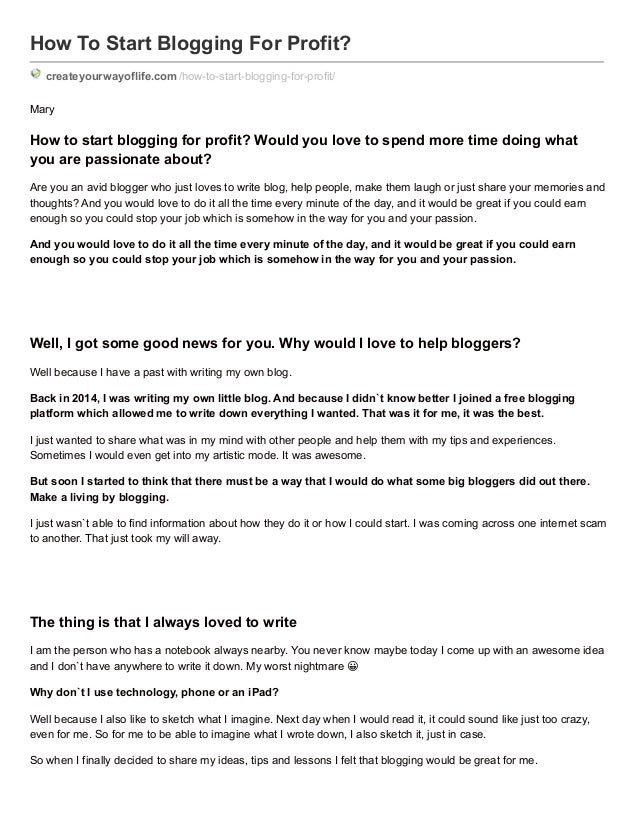
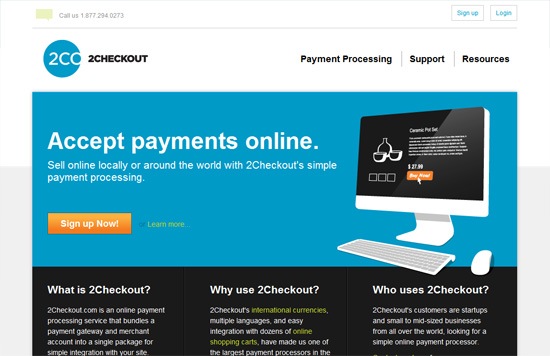






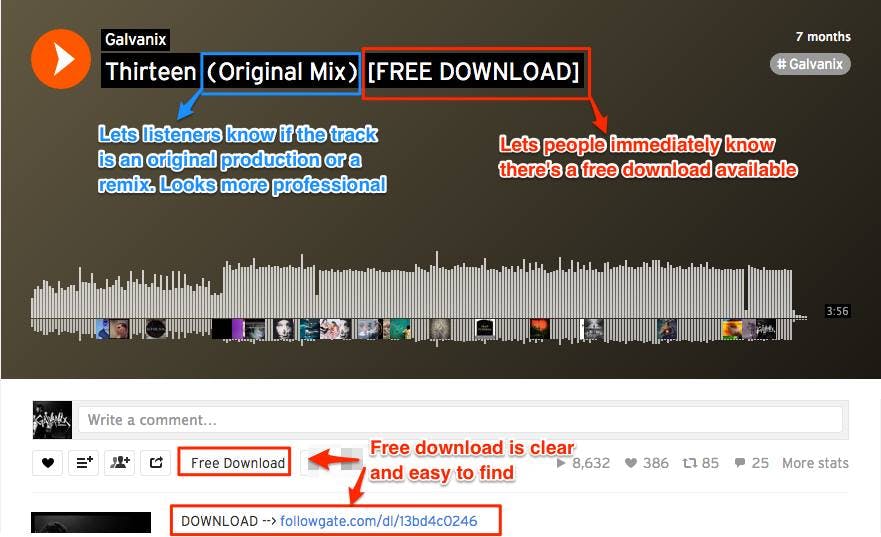

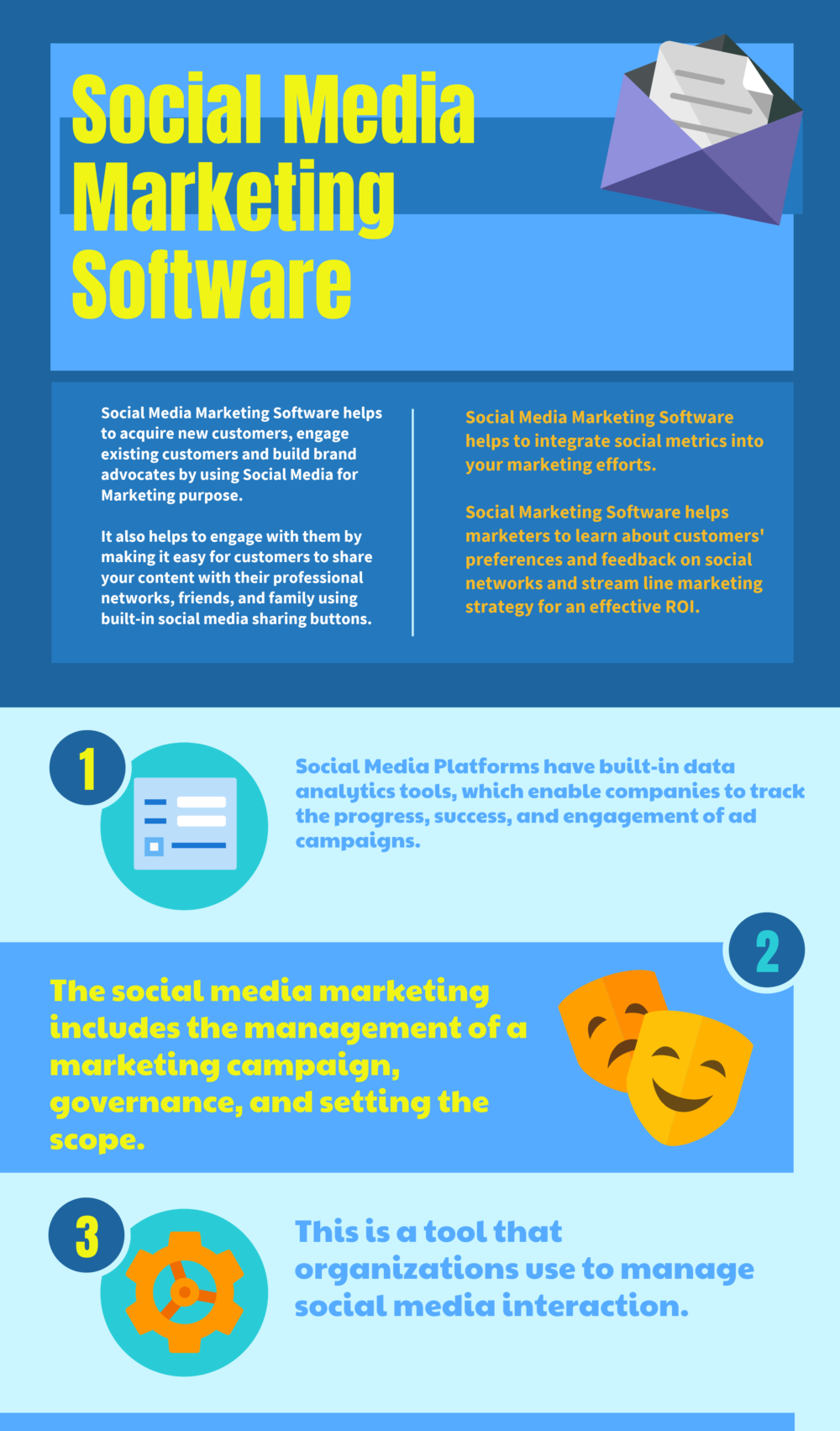

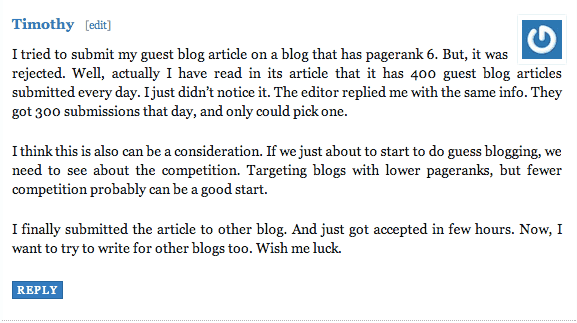
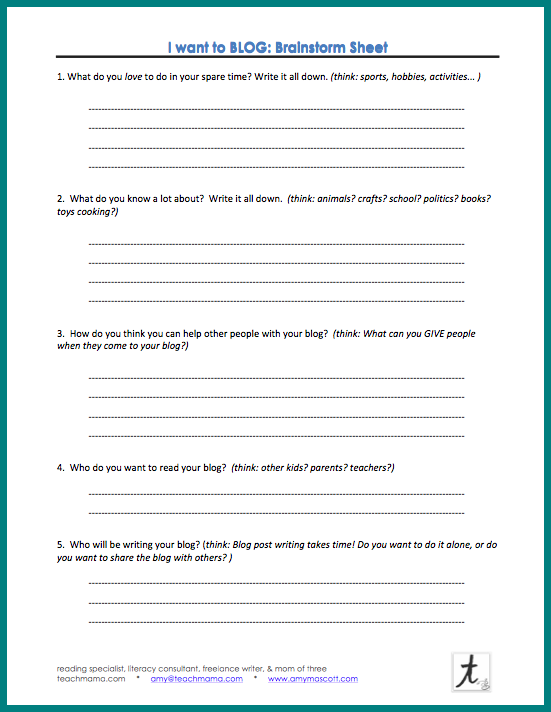






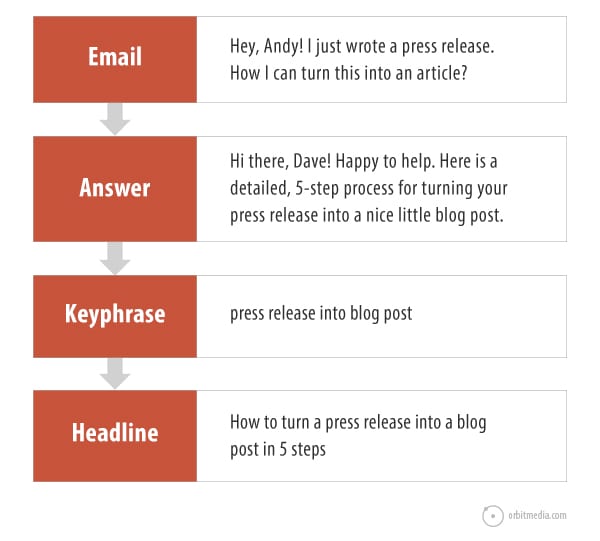

 Jimmy's Internet Marketing Business Blog